

Face Recognition for Security Cameras
iFovea’s face recognition analytic matches faces against a watchlist you control — flagging known individuals the moment they appear on camera, without requiring someone to watch every entrance around the clock.
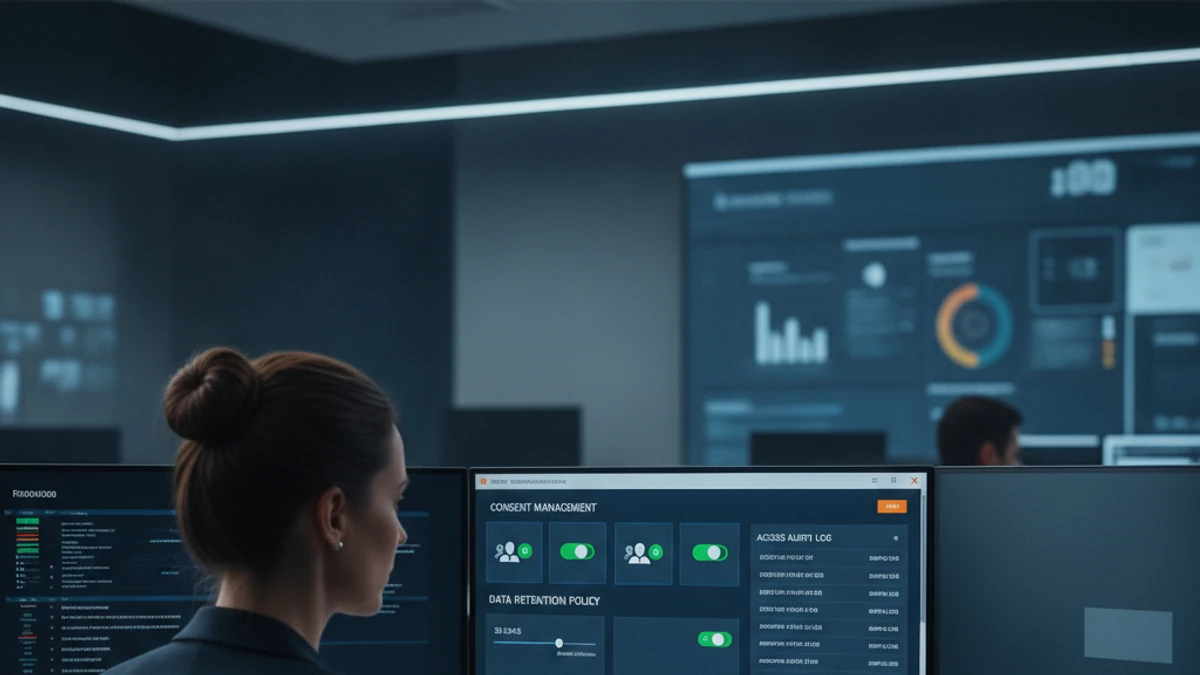
Face recognition is an AI video analytic that compares faces captured on camera against a configurable reference list — such as known staff, VIP customers, or individuals previously flagged for a property — and generates an alert when it finds a match. It is used to speed up identification and response, not to passively track or profile every person who walks by.
How Face Recognition Works
The system analyzes facial features captured by a camera and compares them against a reference set that your organization defines and controls — for example, a list of employees authorized to access a secure area, a watchlist of individuals previously banned from a property, or VIP customers a business wants to recognize on arrival. When a match crosses the configured confidence threshold, iFovea generates a real-time alert with the camera, timestamp, and matched reference — so your team can respond immediately instead of reviewing footage after the fact. Face recognition runs as part of the included AI video analytics suite, alongside object detection and the platform’s other analytics.
Common Use Cases
- Access verification: confirm that only authorized personnel enter secure areas, and log every match for audit purposes.
- Banned-person alerts: notify staff in real time if someone previously asked to leave a property returns.
- VIP and repeat-customer recognition: alert staff when a recognized guest arrives, supporting a higher level of personalized service.
- Multi-site identity matching: apply the same watchlist consistently across every location in a multi-site portfolio, rather than maintaining separate lists per site.
- Incident investigation: quickly check whether a person of interest from one incident appears in footage from other cameras or other days.
Privacy, Consent, and Compliance Considerations
Face recognition is one of the more sensitive analytics a business can deploy, and it carries real legal and ethical responsibilities that vary by state, country, and industry — including biometric privacy laws (such as Illinois’ BIPA), the EU’s GDPR, and sector-specific regulations in healthcare, education, and finance. iFovea does not provide legal advice, and businesses should consult their own counsel about the requirements that apply to their location and use case before enabling this analytic. That said, the platform is built with responsible deployment in mind:
- Opt-in by design: face recognition is not enabled by default — it is turned on deliberately, per site, by an administrator.
- You control the reference list: iFovea does not supply or sell facial datasets; the watchlist is built and maintained entirely by your organization.
- Access-controlled administration: only authorized administrators can view, add to, or modify the reference list and review match history.
- Configurable retention: retention periods for match logs and reference data can be set to align with your organization’s policies and applicable regulations.
- Posting and disclosure guidance: many jurisdictions require visible notice that face recognition is in use on a property — iFovea’s onboarding team can point you to general best practices, though final compliance decisions rest with your organization and counsel.
Face recognition is powerful, but it is not the right fit for every organization or every site. If your use case is primarily about general activity awareness — not identifying specific individuals — analytics like object detection, people counting, or heat maps may meet your goals with a lighter compliance footprint. iFovea’s team can help you decide which analytics actually fit your situation rather than defaulting to the most sensitive option available.
Accuracy, Lighting, and Deployment Considerations
Face recognition accuracy is sensitive to camera resolution, mounting angle and height, lighting conditions, and distance from the subject — a camera positioned to clearly capture faces at an entrance will perform far better than one mounted high and angled across a wide parking lot. As part of onboarding, iFovea reviews proposed camera placements for any site where face recognition is planned and recommends adjustments to reach the accuracy levels your use case requires. The analytic runs on ONVIF-compatible cameras, though certain placements may benefit from camera repositioning or supplemental units to perform reliably.
How This Fits Into the Broader Platform
Face recognition is one of ten analytics included in the iFovea AI video analytics platform — alongside object detection, counting, ALPR, heat maps, AI video search, and more — all running from the same dashboard on the cameras you already manage. See the cloud VMS platform overview for the full picture of how analytics, storage, and multi-site management work together.
Talk through whether face recognition is right for your sites
Every deployment is different. Tell us about your use case and we’ll help you decide which analytics — including whether face recognition makes sense — actually fit your goals and your compliance requirements.
Frequently Asked Questions
What is face recognition in video surveillance?
Face recognition is an AI analytic that compares faces seen on camera against a reference list your organization defines — such as known staff, VIP guests, or individuals flagged for a property — and alerts your team in real time when it finds a match.
Is face recognition legal to use?
Laws governing facial recognition and biometric data vary significantly by state, country, and industry. iFovea does not provide legal advice; organizations should consult their own counsel to confirm what is permitted and required — including notice, consent, and retention rules — for their specific location and use case before enabling this analytic.
Who controls the list of recognized faces?
Your organization does. iFovea does not supply, sell, or maintain facial datasets — the watchlist is built, owned, and managed entirely by your administrators, with access controls limiting who can view or edit it.
How accurate is face recognition?
Accuracy depends on camera resolution, mounting position, lighting, and distance from the subject. iFovea reviews planned camera placements during onboarding and recommends adjustments to help reach reliable accuracy for your use case.
Do I need special cameras for face recognition?
Face recognition runs on ONVIF-compatible cameras, the same standard used across iFovea’s analytics suite — though for best results, cameras should be positioned to clearly capture faces at the relevant distance and angle. iFovea can advise on placement during onboarding.
What if I don’t need to identify specific individuals?
If your goal is general activity awareness rather than identifying specific people, analytics such as object detection, people counting, or heat maps may achieve your goals with a simpler compliance profile. iFovea can help you choose the right combination for your situation.