

People Counting and Vehicle Counting Analytics
iFovea’s AI-powered counting analytics turn your existing cameras into an automatic traffic-counting system — tracking how many people and vehicles move through a space, and when, without manual tallying or separate sensor hardware.
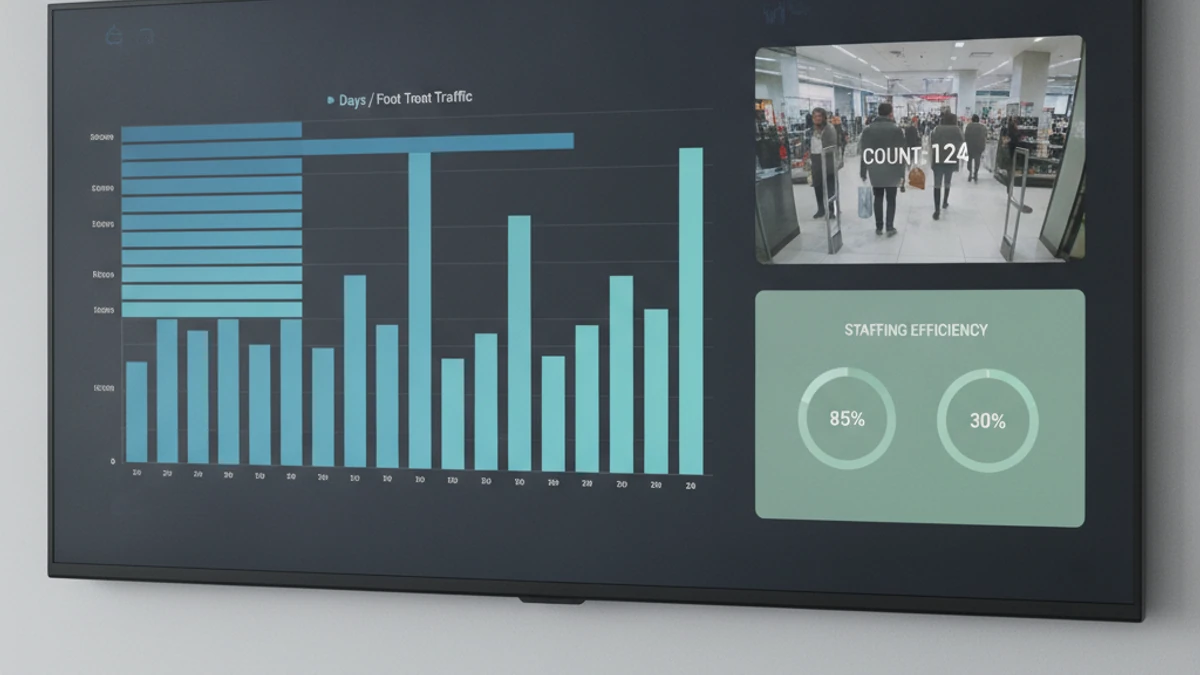
People counting is an AI video analytic that detects and tallies individuals as they enter, exit, or move through zones captured by a security camera. It runs continuously in the background, producing accurate, time-stamped counts that businesses use to understand foot traffic, staffing needs, and space utilization — all without dedicated counting hardware.
How AI People Counting Works
Rather than estimating traffic from sales data or spot-checks, iFovea’s AI video analytics platform uses computer vision to detect each person who crosses a defined line or enters a defined zone — a doorway, an aisle, a section of a venue — and logs that event with a timestamp. The system distinguishes people from carts, displays, and other moving objects, so counts reflect actual visitors rather than every pixel change in the frame. Data rolls up into hourly, daily, and location-level reports that are viewable from a single dashboard, whether you’re monitoring one storefront or two hundred.
People Counting Use Cases
- Retail foot traffic and conversion: compare visitor counts to sales totals to calculate conversion rate, and identify which hours and days actually drive revenue versus simply drive traffic.
- Staffing decisions: schedule employees against real visitor patterns instead of guesswork, reducing both overstaffing costs and understaffed peak periods.
- Queue and line management: detect when wait lines build at checkout, service counters, or entry points, and alert staff before the wait affects the customer experience.
- Occupancy compliance: monitor real-time occupancy against fire-code or venue-capacity limits, with alerts when a space approaches its limit.
- Multi-location benchmarking: compare traffic patterns across every site in a multi-site portfolio to identify top performers and underperforming locations.
- Events and venues: track attendance in real time across entrances, halls, and zones during high-traffic events.
What Is Vehicle Counting — and How Does It Differ?
Vehicle counting applies the same underlying detection-and-tracking technology to cars, trucks, vans, and other vehicles instead of people. Where people counting focuses on doorways, aisles, and entry zones, vehicle counting is typically deployed at gates, drive lanes, parking lot entrances, loading docks, and yard perimeters. The system differentiates vehicle types where needed (passenger vehicles vs. commercial trucks, for example) and can be paired with license plate recognition for full visitor and fleet accountability.
Vehicle Counting Use Cases
- Parking lot and garage management: track how full a lot is in real time, and identify peak-usage windows for staffing or capacity planning.
- Automotive dealerships: measure showroom and lot traffic alongside service-lane volume.
- Logistics yards and distribution centers: count trucks entering and exiting docks, and correlate with throughput and dwell-time data.
- Drive-thru operations: monitor vehicle volume by daypart to plan staffing and reduce service-time bottlenecks.
- Gated communities and commercial properties: maintain an accurate log of vehicle entries and exits for security and operations.
Reporting and Dashboards
Counting data is only useful if it’s easy to act on. iFovea presents counts as time-series charts and exportable reports that can be filtered by camera, zone, location, and date range — so an operations manager can see, for example, that a specific store’s Saturday afternoon traffic has grown 20% over the past quarter, or that a particular dock door is consistently the slowest point in the yard. Reports are accessible from the same dashboard used for live video and other AI analytics, with no separate counting platform to log into.
Accuracy and Camera Placement
Counting accuracy depends heavily on camera angle, height, lighting, and field of view — a camera mounted to look straight down a doorway will produce more reliable counts than one mounted at an oblique angle across a wide lobby. As part of onboarding, iFovea reviews proposed counting zones and camera placements and recommends adjustments where needed to hit the accuracy levels your reporting requires. Counting works on ONVIF-compatible cameras you may already have installed — in most cases, no new hardware is required to turn on this analytic.
Combining Counting With Other Analytics
Counting becomes significantly more useful when it’s layered with other data the platform already collects. Pairing people counting with heat maps shows not just how many people entered a space, but where they went and how long they stayed — turning a simple traffic number into a layout and merchandising decision. Pairing vehicle counting with license plate recognition turns a raw count into an accountable log of exactly which vehicles came and went, and when. And because counting runs inside the same AI analytics platform as object detection, perimeter alerts, and AI video search, none of this requires separate tools, separate logins, or separate vendor relationships — it’s one dataset, viewed from one dashboard, that gets richer as you turn on more of the suite.
Getting Counting Data to the People Who Need It
Counting only changes outcomes if it reaches the people making decisions — a store manager building next week’s schedule, a regional director comparing locations, or an operations team planning a renovation. iFovea’s reporting can be scheduled, filtered by location or zone, and shared with the stakeholders who act on it, so the data doesn’t stay locked inside a security platform that only the security team opens. For multi-location businesses, this turns what used to be a security tool into a genuine operations and planning resource — one more reason counting is included in every plan rather than positioned as a specialty add-on.
See people and vehicle counting on your own footage
Show us your camera layout and the zones you want to measure — we’ll walk through what counting would look like at your sites.
Frequently Asked Questions
What is people counting in video surveillance?
People counting is an AI analytic that automatically detects and tallies individuals crossing a line or entering a zone on camera, producing accurate, time-stamped traffic data without manual counting or separate sensors.
How accurate is AI-based people counting?
Accuracy depends on camera height, angle, lighting, and field of view. Cameras positioned to clearly view a doorway or defined zone typically produce highly reliable counts; iFovea reviews placement during onboarding to optimize accuracy for your sites.
Can the same system count both people and vehicles?
Yes. iFovea’s counting analytic applies to both people and vehicles using the same underlying detection technology — people counting is typically used at entrances and aisles, while vehicle counting is used at gates, lots, and drive lanes.
Do I need special hardware to enable counting?
In most cases, no. Counting runs as part of iFovea’s AI analytics suite on ONVIF-compatible IP cameras you may already have. Confirm compatibility with the existing-camera guide.
Can I see counting data across multiple locations?
Yes. Counting data from every site rolls up into a single multi-site dashboard, so you can compare traffic patterns, benchmark locations, and spot trends across your entire portfolio.
Is counting included in the standard iFovea plan, or is it an add-on?
People and vehicle counting are part of iFovea’s included AI analytics suite — they are not separate add-on licenses.