

Heat Map Analytics for Security Cameras | iFovea
See where activity concentrates across your space — without reviewing hours of footage. iFovea heat map analytics turns camera footage into actionable spatial intelligence for retail, warehouses, restaurants, and multi-site operations.
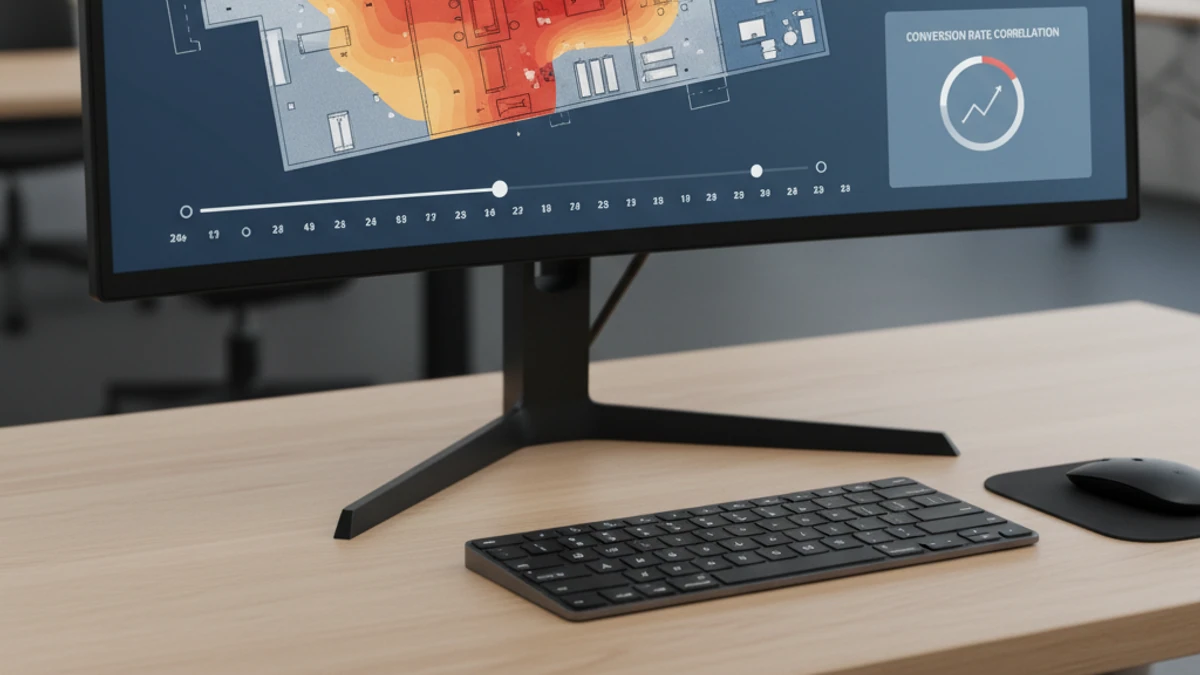
What is heat map analytics for security cameras?
Heat map analytics uses AI to process security camera footage and generate color-coded visualizations showing where activity concentrates over time. High-traffic zones appear in warm colors; unused areas in cool colors. iFovea runs this analysis in the cloud — no special cameras or on-site hardware required.
How Heat Map Analytics Work
iFovea ingests your camera footage stream continuously. The AI engine analyzes each frame to detect and classify movement, logging the pixel coordinates and duration of every detected event. Over a configurable time window (hourly, daily, weekly), these detections are aggregated into a spatial density map overlaid on a static reference image of the camera view.
The output is a color-graduated overlay: areas where people or vehicles spend the most time appear in red and orange, while low-activity zones appear in blue and green. You can filter by time of day, day of week, object type (person, vehicle), or zone within the frame.
Because the processing happens in the cloud, heat maps can be generated retroactively from recorded footage as well as in near-real-time. A retail manager can compare Saturday afternoon heat maps from four different store locations in the same dashboard view.
Heat Map Use Cases by Industry
Retail Stores
- Identify high-traffic aisles vs. dead zones
- Measure product display effectiveness
- Track checkout queue congestion patterns
- Compare foot traffic across multiple locations
- Optimize store layout to improve conversion
Warehouses & Distribution
- Monitor worker zone utilization and safety distances
- Identify bottlenecks in pick-and-pack workflows
- Detect unauthorized access to restricted areas
- Track equipment and vehicle movement patterns
- Validate safe distances near loading docks
Restaurants & QSR
- Analyze dining room seating patterns and peak times
- Optimize table layout based on actual usage data
- Monitor kitchen zones for workflow efficiency
- Track drive-through lane congestion by hour
- Compare location performance across franchises
Office & Multi-Site
- Measure conference room and common area utilization
- Support space planning and real-estate decisions
- Monitor lobby and reception traffic patterns
- Compare facility usage across multiple office locations
- Identify underutilized spaces for consolidation
Heat Maps vs. People Counting — Which Do You Need?
Heat maps and people counting are complementary tools that answer different business questions. People counting tells you how many — heat maps tell you where.
| Question | People Counting | Heat Maps |
|---|---|---|
| How many people entered? | ✓ | — |
| Where did people spend the most time? | — | ✓ |
| Peak traffic hours | ✓ | ✓ |
| Which product display gets more attention? | — | ✓ |
| Daily/weekly visitor volume trend | ✓ | — |
| Zone-level dwell time patterns | — | ✓ |
Both analytics types are included in iFovea subscriptions — you don’t need to choose. See People & Vehicle Counting Analytics for more on the counting side.
Camera Requirements and Placement
Heat map analytics works with any standard ONVIF-compatible IP camera. For best spatial accuracy:
- Overhead or near-overhead angles produce the most accurate spatial maps — a camera mounted at 10–15 feet looking straight down captures full-body coverage without overlap.
- Wide-angle lenses (90°–120° FOV) cover larger zones with a single camera and reduce the number of cameras needed.
- Consistent lighting improves AI detection accuracy — avoid cameras pointed directly at windows or light sources.
- Higher resolution (1080p or better) improves the granularity of the heat map grid, especially in large spaces like warehouses or event venues.
iFovea’s onboarding team provides camera placement guidance during setup at no additional cost. See which cameras are compatible.
Frequently Asked Questions
What is heat map analytics for security cameras?
Heat map analytics uses AI to process security camera footage and generate color-coded visualizations showing where activity is concentrated in a space over time. High-activity areas appear in warm colors (red, orange) and low-activity areas in cool colors (blue). This helps businesses understand traffic patterns, space utilization, and behavioral trends without reviewing hours of footage manually.
Do heat maps require special cameras?
No. iFovea heat map analytics works with standard ONVIF-compatible IP cameras you already own. No specialized thermal cameras are required. The AI processing happens in the cloud, not on the camera itself.
How is heat map analytics different from people counting?
People counting measures the number of individuals entering or leaving a defined zone. Heat maps show WHERE people spend time across an entire camera view, not just how many. They are complementary tools — heat maps reveal spatial patterns, while people counting gives you volume metrics.
Can heat map data be exported for business reporting?
Yes. iFovea heat map data can be reviewed through the cloud dashboard and used alongside other analytics like people counting and dwell time to build operational reports. Contact iFovea for details on data export and API integrations.
What camera placement works best for heat map analytics?
Overhead or near-overhead camera angles produce the most accurate heat maps because they capture a top-down view of movement without obstruction. Side-angle cameras work but produce less precise spatial coverage. iFovea provides camera placement guidance during onboarding.
See Heat Map Analytics in Your Environment
iFovea includes heat maps, people counting, object detection, face recognition, ALPR, and 5 more AI analytics types — all in one subscription, using cameras you already own.