

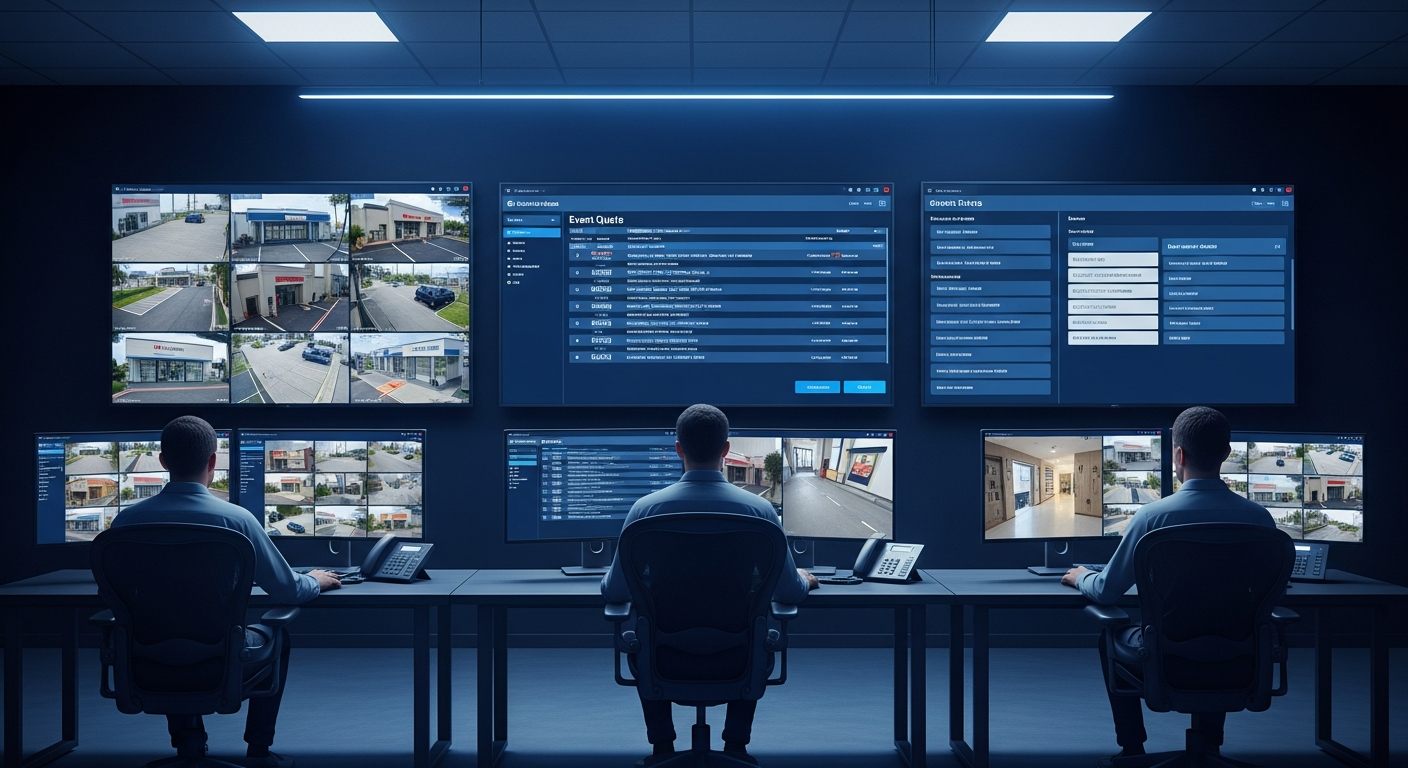
Traditional alarm monitoring is built around a fundamental workflow problem: an alarm triggers, the monitoring station dispatches based on the alarm signal alone, and 90%+ of dispatches turn out to be false alarms. The cost of that false alarm rate — in guard dispatch fees, police priority calls, and operator attention diverted from real events — is the defining inefficiency of the industry.
The iFovea Alarm Monitoring Portal changes the monitoring workflow by putting verified video context alongside every alarm event. Before a dispatch decision is made, the operator can see what the camera sees — real intrusion, false trigger, environmental condition, or actual emergency — and make an informed response instead of a blind one.
For security monitoring companies, managed security service providers, remote guarding operations, and enterprise security teams operating their own monitoring centers, the alarm monitoring portal is the platform that enables video-verified alarm response at scale.
What Video-Verified Monitoring Changes
The difference between traditional alarm monitoring and video-verified monitoring is the information available at the moment of the response decision:
Traditional Alarm Monitoring
Motion sensor triggers. Monitoring station receives alarm signal. Operator calls the location. No answer — dispatch guard or police. Guard arrives, finds open window left by employee. $75–$200 guard dispatch cost. Police response call logged as false alarm. No footage available to document the event or reduce future false triggers.
Video-Verified Monitoring via iFovea
Motion sensor triggers. AI event flag surfaces in the monitoring portal with camera feed from the zone. Operator views the live feed — empty hallway, no intruder, sensor triggered by HVAC vibration. Operator clears the alarm, logs the event, documents the false alarm cause. No dispatch. $0 response cost. Pattern identified for threshold adjustment.
Alarm Monitoring Portal Capabilities
AI Event Feed with Video Context
AI-generated events from all connected cameras appear in the monitoring portal’s event feed with direct links to the camera view at the event timestamp. Operators see what triggered the event before making any response decision.
Multi-Camera Operator Workstation
Monitoring center operators can configure multi-camera grid views for assigned monitoring zones, with event-priority sorting that surfaces the highest-priority events to the front of the queue. Designed for operators monitoring multiple customer sites simultaneously.
Arm/Disarm Schedule Management
Configure arm/disarm schedules for each customer site and camera group. When a site is disarmed during business hours, AI events from that site are filtered from the active alarm queue — reducing false alarm volume during expected activity periods without disabling recording and analytics.
Event Logging and Dispatch Documentation
Every alarm event — trigger, video verification decision, dispatch or clear action, response outcome — is logged with operator identity, timestamp, and action taken. Event documentation supports client reporting, police response documentation, and performance audit for monitoring operations.
AI-Filtered Event Prioritization
AI analytics classifies events by type, object, and behavioral pattern before they surface in the operator queue. Events classified as high-priority (person detected in restricted zone after hours, ALPR watchlist match, fire detection) are prioritized over low-confidence events — reducing the manual review burden for operators handling high event volumes.
IoT and External Event Integration
Access control events, door sensor triggers, alarm system signals, and POS transaction data can be integrated as contextual events alongside camera AI events. When an access control breach occurs, the monitoring portal surfaces both the access control event and the camera footage from that entry point simultaneously.
Who the Alarm Monitoring Portal Serves
Security Monitoring Companies (Central Station Operators)
Monitoring stations handling video verification requests from installed customer sites use the alarm monitoring portal as their primary operator interface. The portal’s multi-site, multi-customer architecture supports monitoring center operations — multiple operators monitoring different customer portfolios simultaneously, with event queuing, priority sorting, and complete event documentation.
Remote Guarding Services
Remote guarding companies providing active video patrol services — using human operators to monitor live feeds and intervene before incidents escalate — use the monitoring portal as the surveillance interface. Scheduled camera tours, event-triggered alerts, and two-way audio capability (where deployed) support remote guarding workflows without requiring on-site security staff at each monitored location.
Enterprise Security Operations Centers (SOCs)
Enterprise organizations with internal security operations centers use the alarm monitoring portal for centralized monitoring of all corporate locations. A single security team monitoring corporate headquarters, satellite offices, distribution centers, and retail locations from one interface — with multi-site cloud VMS management as the architecture underneath.
Security Integrators Offering Managed Video Monitoring
Integrators building a managed security service practice — selling monthly video monitoring subscriptions alongside hardware installation — use the monitoring portal as the delivery platform. The portal’s multi-customer, multi-site architecture supports an integrator operating a monitoring service for dozens of client sites without requiring separate software for each customer.
AI Analytics That Power the Monitoring Portal
The monitoring portal’s event feed is powered by the same AI video analytics platform that runs across all connected cameras. Events surfaced in the monitoring portal include:
- Person detected in restricted zone — after-hours access to defined exclusion areas
- Loitering detection — extended presence in defined zones beyond configurable time thresholds
- Vehicle detection and ALPR — unauthorized vehicle presence and watchlist plate matches
- Fire and smoke detection — early visual smoke/flame signatures at camera level
- Behavioral anomaly — movement patterns inconsistent with expected activity in the zone
- PPE violation — personnel in safety-required zones without required protective equipment
- Object left/removed — detected object placement or removal events in configured zones
Alarm Monitoring vs. Standard Cloud VMS Monitoring
| Monitoring Mode | Standard Cloud VMS Portal | Alarm Monitoring Portal |
|---|---|---|
| Primary use case | On-demand access, footage review, investigation | Active operator monitoring and event response |
| Event handling | Event log review, alert notification | Operator event queue, prioritized response workflow |
| Multi-site view | Unified camera access across all sites | Multi-customer, multi-site operator workflow |
| Arm/disarm | AI alert configuration | Schedule-based arm/disarm with alarm queue filtering |
| Documentation | Access audit log, event history | Full operator action log, dispatch documentation, client reporting |
Frequently Asked Questions
Can the alarm monitoring portal reduce false alarm dispatch rates?
Video verification — viewing camera footage before making a dispatch decision — consistently reduces false alarm dispatch rates by enabling operators to distinguish real events from environmental triggers. The specific reduction depends on the deployment’s AI configuration, camera coverage, and alarm threshold settings. Performance also depends on camera placement, image quality, lighting conditions, and scene characteristics.
Can monitoring operations handle multiple customer sites from the portal?
The alarm monitoring portal is designed for multi-customer, multi-site monitoring operations. Each customer’s cameras, events, and arm/disarm schedules are managed as separate accounts within the monitoring operator’s portfolio. Operators can switch between customer event queues or manage a consolidated event feed across all assigned customer sites based on the monitoring workflow requirements.
Does the portal support two-way audio for remote guarding?
Two-way audio capability depends on whether cameras at the monitored location support two-way audio output (IP speaker integration). For deployments with two-way audio hardware, operator communication to the camera zone is available through the portal. Contact the iFovea team to discuss two-way audio requirements for specific monitoring deployment scenarios.
Can AI events from the monitoring portal trigger external dispatch systems?
iFovea supports outbound webhook notifications for AI-generated events, enabling integration with external dispatch management systems, guard tour software, and alarm receiving center (ARC) platforms. Contact the iFovea team through the demo request form to discuss specific integration requirements for your monitoring operations.
Is the alarm monitoring portal available to all iFovea customers?
Alarm monitoring portal capabilities are available to iFovea Professional AI and Enterprise plan customers. Monitoring operations managing multiple customer sites should discuss multi-tenant monitoring configuration with the iFovea team during the deployment assessment.
Related Resources
- AI Video Analytics: Event Types and Detection Capabilities
- Cloud Video Portal: Browser-Based Camera Access
- Multi-Site Cloud Surveillance Management
- Loitering Detection: AI Behavioral Alerts
- Fire and Smoke Detection: Video-Based Early Warning
Request an AI Video Monitoring Demo
See how iFovea’s alarm monitoring portal enables video-verified event response, multi-site monitoring workflows, and AI-filtered event prioritization for your monitoring operation.