

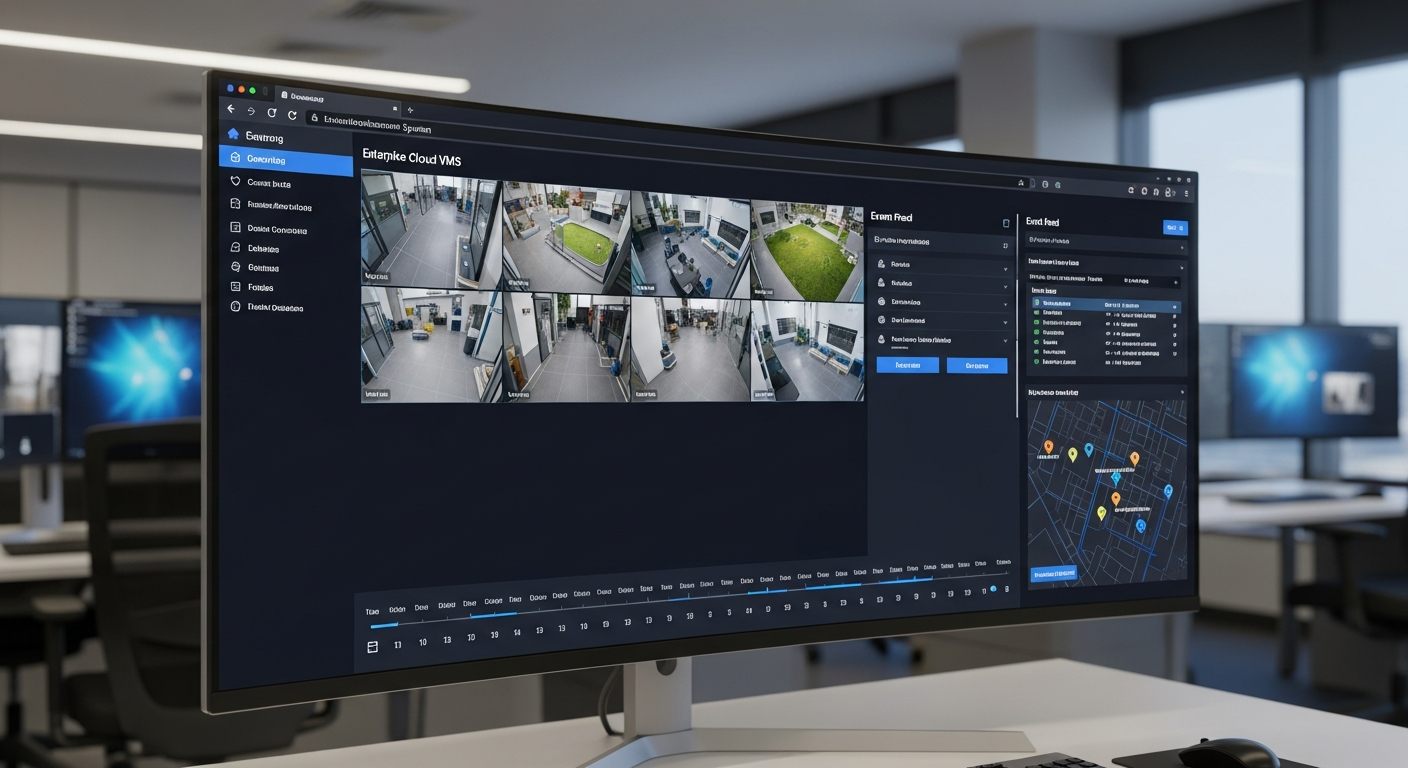
Your security cameras generate footage continuously. Without a purpose-built cloud video portal, that footage is an archive with no intelligence layer — accessible only on-site, searchable only by manually scrubbing timelines, and invisible to anyone who isn’t physically in front of the NVR.
The iFovea Cloud Video Portal changes what a video management system can do. It’s a browser-based platform that puts live video, recorded footage, AI-generated events, camera maps, multi-site management, and forensic search into a single interface — accessible from any device, anywhere, without VPN, local software, or on-site hardware dependencies.
This is what cloud video management looks like when it’s built for operations teams, security directors, and IT administrators who need visibility across every camera at every location — not just at the one they’re standing in.
What the iFovea Cloud Video Portal Delivers
Live Video from Any Camera
View live feeds from any connected camera at any location. Single-camera fullscreen or multi-camera grid — configurable to match your monitoring workflow.
Timeline-Based Footage Review
Navigate recorded video with a visual timeline showing activity density, AI-detected events, and motion segments. Jump directly to relevant moments without scrubbing through hours of footage.
Camera Map View
See all cameras plotted on a floor plan or location map. Click any camera icon to jump directly to its live or recorded view. Critical for multi-building and multi-site deployments.
AI Video Search
Search footage by object type, color, person attributes, license plate, or zone across any camera at any location simultaneously. What takes hours to review manually takes minutes with AI forensic search.
AI Event Feed
Real-time and historical AI-generated event log: detected objects, zone crossings, behavioral alerts, license plate reads, people counts, and anomaly flags — all time-stamped and camera-attributed.
Clip Creation and Export
Select any time range from any camera and export a standard MP4 clip for insurance documentation, legal proceedings, HR investigations, or law enforcement. Full chain-of-custody timestamp metadata included.
Who the Cloud Video Portal Is Built For
The iFovea Cloud Video Portal serves three distinct operational roles — each with different workflows and different access requirements:
Security Operations Teams
Operators monitoring live video, reviewing AI alerts, and responding to real-time events need an interface that surfaces what matters without overwhelming them with camera feeds they don’t need to watch. The portal’s configurable multi-camera grid, event-driven alert feed, and camera group filters keep security teams focused on active priorities rather than managing a wall of monitors.
Investigators and Operations Managers
When an incident is reported — a theft, an injury, a discrepancy — the investigation starts in the portal. AI forensic video search narrows the relevant footage to a targeted review instead of manual playback across dozens of cameras. Investigators can move from incident report to relevant footage in minutes rather than hours.
Remote Oversight: Area Managers, Executive Teams, IT Directors
The cloud architecture eliminates the on-site access requirement entirely. An area manager can open any location’s cameras from a laptop in any city. An IT director can verify system health across all sites without a facility visit. Access is browser-based — no VPN tunnel, no local software, no IP whitelist management required.
How the iFovea Cloud Video Portal Works
The portal connects to cameras through the iFovea Gateway — a compact device installed at each location that bridges existing ONVIF-compatible IP cameras to the cloud platform. No NVR server required at the location. No camera replacement required for compatible brands.
- Cameras at each location connect to the iFovea Gateway — a PoE switch connection is all that’s needed for compatible cameras. The Gateway handles the cloud connection, compression, and upload protocol.
- Video streams reach the iFovea cloud platform — encrypted in transit, stored with AES-256 encryption at rest, retained per the configured policy for each camera or location.
- The cloud video portal provides unified access — live video, recorded footage, AI event data, and search capabilities for every connected camera at every location, through a single browser-based interface with role-based access controls.
Multi-Site Video Management From One Portal
For organizations with multiple facilities, the portal’s multi-site architecture is its most operationally significant capability. All locations appear in a single interface — no switching between location-specific systems, no separate logins, no site-by-site management overhead.
Multi-site cloud VMS management means that an operations team overseeing 12 retail locations, 8 restaurant franchises, or 5 warehouse facilities has the same access level to each location’s cameras from the same interface — with role-based access controls that can limit specific users to specific locations or camera groups as organizational policy requires.
| Capability | NVR/DVR System | iFovea Cloud Video Portal |
|---|---|---|
| Remote access | VPN or port forwarding required | Browser-based, any device, no VPN |
| Multi-site management | Separate NVR per location | Unified portal for all locations |
| Footage search | Manual timeline scrubbing | AI forensic search in minutes |
| AI analytics | Not available | 10+ AI analytics included |
| Clip export | USB drive, proprietary format | Standard MP4, browser download |
| Hardware failure risk | Single point of failure | Redundant cloud infrastructure |
| Access during internet outage | Local recording continues | Local edge recording via Gateway; cloud syncs when connectivity restores |
AI Analytics in the Video Portal
The iFovea cloud video portal is the interface through which all AI video analytics results surface. Analytics run continuously on camera feeds; results appear in the portal’s event feed, timeline markers, heat map overlays, and reporting dashboards.
- People counting and occupancy — headcount by zone, by hour, by camera
- License plate recognition (ALPR) — automatic plate reading with searchable vehicle log
- Loitering and behavioral detection — extended dwell time alerts by configured zone
- Fire and smoke detection — early visual detection at camera level
- PPE compliance monitoring — safety equipment detection in defined zones
- Heat maps — movement density visualization by time period
- Object detection and classification — people, vehicles, animals, and defined object categories
All analytics data is accessible through the portal’s reporting interface and filterable by camera, location, time range, and event type.
Common Questions
Does the cloud video portal require local software installation?
No. The iFovea cloud video portal is fully browser-based. No desktop software, no plugin installation, no VPN configuration. Access from any modern browser on any device — laptop, desktop, tablet, or through the iFovea mobile app for iOS and Android.
Can different users have different camera access in the portal?
Yes. The portal supports role-based access controls configurable by user, role, camera group, or location. A retail location manager can be limited to their location’s cameras. A corporate security director can access all locations. Access permissions are managed through the iFovea admin portal.
How far back can footage be reviewed in the portal?
The available footage history depends on the configured retention policy for each camera. iFovea supports retention from 14 days (Essential plan) through 30 days (Professional AI) to up to 90 days (Enterprise), configurable per camera, per camera group, or per location. Use the storage calculator to estimate storage requirements for your retention targets.
Does the portal work if the internet connection at a location goes down?
In hybrid cloud deployments with the iFovea Gateway, local recording continues during internet outages. The portal reflects the live status of each camera. Once connectivity is restored, footage recorded during the outage synchronizes to the cloud and becomes available in the portal’s timeline view.
Can the portal be used to export footage for law enforcement or legal proceedings?
Yes. The portal supports clip selection and export as standard MP4 files with full timestamp metadata. Exported clips include chain-of-custody documentation suitable for insurance claims, HR investigations, and law enforcement requests. Access audit logging records every export event by user, timestamp, and camera.
Is the cloud video portal included in all iFovea subscription plans?
The portal is the primary interface for all iFovea subscription plans. AI analytics capabilities and retention periods vary by plan tier. Review iFovea pricing for full feature availability by tier.
Related Resources
- AI Video Analytics Platform: 10+ Analytics Types in One Platform
- AI Video Search: Find Any Incident in Minutes
- Multi-Site Cloud Surveillance Management
- iFovea Gateway: Cloud Connection for Existing Cameras
- Cloud VMS Platform: Complete Guide
- Admin Portal: User and Camera Management
- Mobile App: Live Camera Access on iOS and Android
See the Cloud Video Portal in Action
Request a demo to see live video, AI forensic search, multi-site management, and event analytics working across your camera infrastructure — without replacing any existing cameras.