

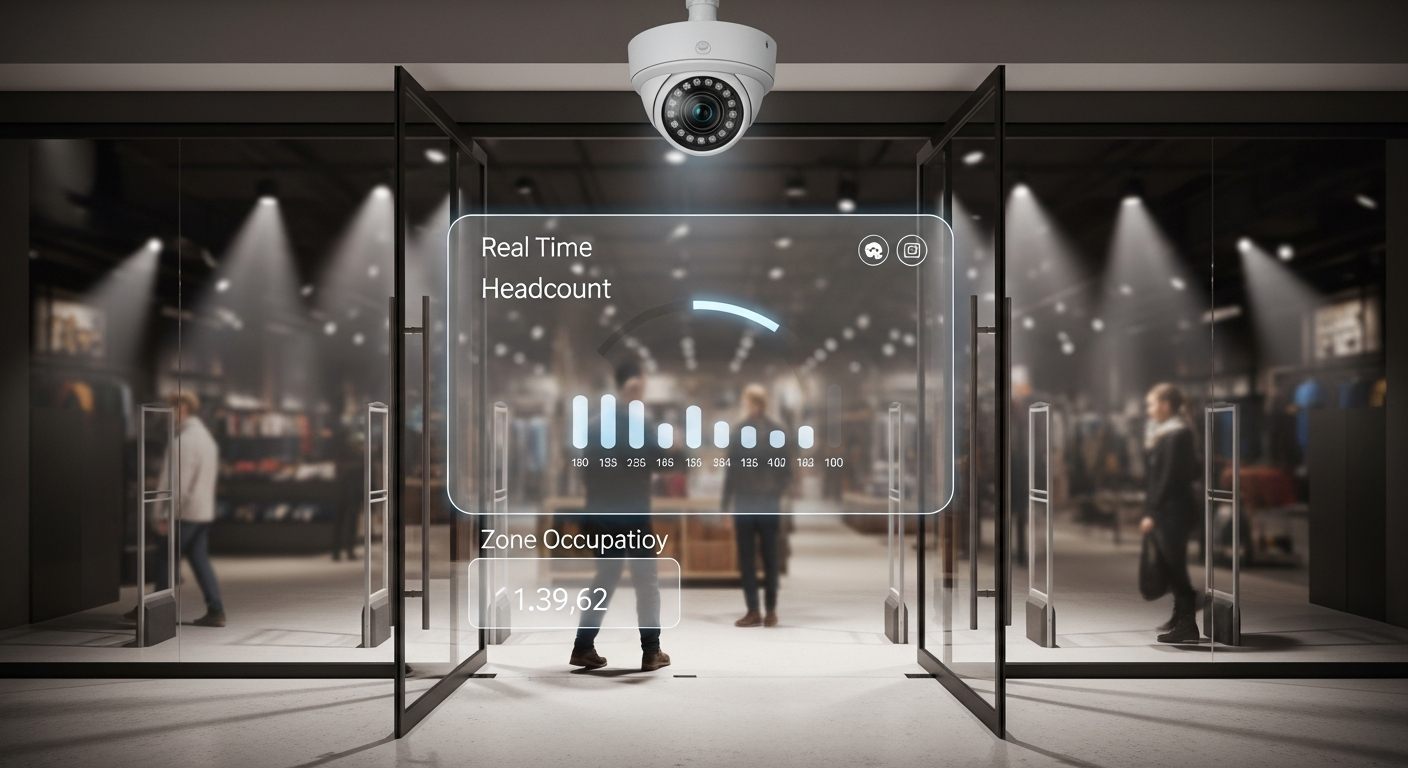
Every retail store, healthcare facility, public venue, and commercial property generates foot traffic data that answers critical operational questions — how many people are here right now, how many came through today, where do they spend the most time, and how does today compare to last week? Without people counting analytics, answering those questions requires manual counting or expensive dedicated counting hardware.
iFovea’s people counting and people detection analytics activates on existing ONVIF-compatible IP cameras — transforming security infrastructure into an operational intelligence layer that delivers occupancy data, traffic counts, zone-level presence data, and dwell time metrics without deploying separate counting sensors or cameras.
What iFovea People Counting Analytics Delivers
Real-Time Occupancy Count
Live headcount by zone, floor, entry point, or facility. Set occupancy thresholds and receive alerts when defined limits are approached or exceeded — critical for health and safety compliance, emergency planning, and capacity management.
Historical Traffic Analytics
Hourly, daily, weekly, and monthly traffic counts by camera, zone, or location. Identify peak traffic periods, weekly patterns, and seasonal trends to optimize staffing, scheduling, and operational planning.
Zone-Level Traffic and Dwell Time
Not just how many people entered the building — how many visited each department, display area, or service zone, and how long they stayed. Dwell time by zone reveals what captures attention and what gets overlooked.
Heatmap Visualization
Movement density maps showing where people spend the most time across the floor plan. High-density zones and underutilized areas become visible as color-coded overlays — actionable for retail merchandising, space planning, and workflow design.
Multi-Site Comparison
Compare traffic counts, peak periods, and occupancy patterns across all locations from one dashboard. Identify which locations are over- or under-performing on traffic metrics and allocate resources accordingly.
Occupancy Threshold Alerts
Configurable alerts when occupancy levels exceed defined thresholds — enabling real-time staff deployment decisions during unexpected surges, emergency evacuation planning, and health-safety compliance documentation.
People Counting vs. Dedicated Counting Hardware
Dedicated people counting hardware — thermal sensors, stereo vision counters, overhead infrared beam counters — delivers high accuracy for single entry points but costs $500–$2,000+ per sensor and requires separate installation, cabling, and software. For multi-zone, multi-location deployments, the cost scales linearly with sensor count.
iFovea’s camera-based people counting activates analytics on existing ONVIF cameras that are already deployed for security purposes. No additional hardware, no additional installation, no additional cabling. Camera-based counting has accuracy characteristics that vary with camera placement, image quality, and scene conditions — see the FAQ below for deployment guidance on optimizing counting accuracy.
| Factor | Dedicated Counting Hardware | iFovea Camera-Based Counting |
|---|---|---|
| Hardware cost | $500–$2,000+ per counting point | Uses existing security cameras |
| Installation | Separate installation per counter | Analytics enabled on existing cameras |
| Multi-zone coverage | Cost multiplies per zone | Any camera becomes a counting point |
| Security integration | Separate system, separate data | Unified with security video and AI analytics |
| Use cases | Entry/exit counting only | Entry, zone, dwell time, heatmap, occupancy |
People Counting Use Cases by Industry
Retail and Grocery
Traffic count vs. transaction count gives conversion rate — the single most diagnostic metric in retail. When a store sees 1,200 visitors but only 180 transactions, the conversion problem is operational: staffing, checkout wait time, or merchandising. People counting makes this visible. Retail cloud VMS with AI people counting enables managers to correlate traffic patterns with sales data for actionable operational analysis.
Healthcare Facilities
Waiting area occupancy, corridor traffic, and patient flow through clinical zones are critical operational metrics for healthcare efficiency and patient experience. Real-time occupancy monitoring by zone supports capacity management without requiring dedicated sensor infrastructure in every clinical area. For compliance-sensitive environments, see iFovea’s compliance and security capabilities.
Schools and Campuses
Campus occupancy by building, floor, and common area supports both security monitoring and facilities planning. When specific areas are consistently at or near capacity during certain periods, the data supports investment decisions for new facilities or schedule redesign. School cloud surveillance with people counting provides administrators with facility utilization data that manual observation can’t match.
Office Buildings and Property Management
Space utilization analysis — which floors and areas are actually occupied versus provisioned — is a major driver of commercial real estate decisions. People counting analytics provides objective occupancy data for lease negotiation, space planning, and facilities management. Property management cloud surveillance with occupancy analytics supports the transition from assumption-based to data-driven space management.
Hotels and Hospitality
Lobby traffic, restaurant occupancy, and amenity utilization analytics help hospitality operators deploy staff to where guests are — rather than where managers assume they are. Peak-hour occupancy data by zone supports staffing decisions that improve guest experience without overstaffing low-utilization periods.
Restaurants and QSR
Dining area occupancy, drive-through queue depth, and counter area traffic are operational metrics that cloud people counting analytics makes visible in real time. For restaurant and QSR operations, this data enables kitchen staffing decisions, dining area management, and capacity management during peak periods — from any location in the chain.
How People Counting Accuracy Works
People counting accuracy with camera-based AI depends on several deployment factors that operators should understand:
- Camera placement: Overhead or near-overhead camera angles produce the highest accuracy for people counting. Side-view cameras at eye level are significantly less accurate because people occlude each other in the camera’s field of view.
- Resolution: Minimum 2MP (1080p) resolution for counting accuracy. Higher resolution (4MP) improves accuracy in dense scenes where people are close together.
- Lighting: Consistent lighting without extreme backlighting (e.g., bright entrance glare behind entering visitors) improves accuracy. Cameras with good WDR (wide dynamic range) capability handle challenging lighting conditions better.
- Scene density: Accuracy decreases in very dense crowds where individuals are difficult to separate visually. For counting in high-density events, calibrate expectations with an iFovea deployment assessment.
For best results, iFovea’s deployment team provides camera placement guidance for people counting deployments during the pre-deployment assessment. Request a deployment assessment through the demo request form.
People Counting and the iFovea AI Analytics Platform
People counting is one of 10+ AI analytics types included in the iFovea platform. Organizations deploying people counting analytics also typically benefit from:
- Loitering detection — extended dwell time alerts in defined zones
- ALPR (license plate recognition) — vehicle counting alongside people counting for parking and drive-through analytics
- AI video search — find any specific person or event within counted footage
- Object detection — classify and track objects alongside people in the same camera view
Frequently Asked Questions
What camera resolution is needed for accurate people counting?
Minimum 2MP (1080p) is recommended for reliable people counting. Camera placement is often more important than resolution — an overhead-positioned 2MP camera typically outperforms a side-mounted 4MP camera for counting accuracy because overhead placement eliminates person-to-person occlusion. iFovea’s deployment team can advise on camera placement for your specific environment during a pre-deployment review.
Can people counting work with my existing cameras?
Yes, if your cameras are ONVIF-compatible or RTSP-streaming and meet the minimum resolution requirement. People counting analytics activates on existing cameras through the iFovea platform without hardware replacement. Camera placement suitability for people counting depends on the existing mounting positions — some locations may need repositioned or additional cameras for optimal counting coverage. Check camera compatibility at the BYOC guide.
How does people counting data appear in the iFovea platform?
People counting data appears in the cloud video portal‘s analytics dashboards as real-time occupancy counts, hourly/daily traffic charts, zone-level heat maps, and historical trend reports. Counting data is filterable by camera, location, time range, and zone. Alerts for occupancy thresholds are configured in the admin portal and delivered via the mobile app or email.
Can people counting distinguish between entry and exit?
Bidirectional people counting — counting entries and exits separately to calculate net occupancy — requires cameras positioned at entry/exit points and configured for bidirectional flow. Cameras positioned mid-zone for general occupancy monitoring provide headcount without directional differentiation. Your deployment configuration determines which counting mode is active at each camera.
Is people counting available on all iFovea subscription plans?
People counting analytics is part of iFovea’s AI video analytics platform, included across Professional AI and Enterprise plans. Contact the team via the demo request to confirm plan availability and discuss your specific counting requirements.
What industries benefit most from people counting analytics?
High-value use cases are concentrated in retail (conversion analytics, zone optimization), healthcare (capacity management, patient flow), hospitality (space utilization, staffing), education (campus occupancy planning), and commercial real estate (space utilization for lease decisions). Any environment where occupancy data affects operational decisions can benefit from people counting analytics on existing security cameras.
Related Resources
- AI Video Analytics Platform: 10+ Analytics Types Included
- Cloud Video Portal: Access Analytics from Any Browser
- Cloud VMS for Retail: People Counting and Loss Prevention
- Loitering Detection: Extended Dwell Time Alerts
- Object Detection Video Analytics
- People Counting Software Complete Guide
See People Counting Analytics for Your Locations
Request a demo to see how people counting analytics activates on your existing ONVIF cameras — real-time occupancy, traffic trends, zone heat maps, and threshold alerts from the iFovea platform.