

Centralized Security Camera Management
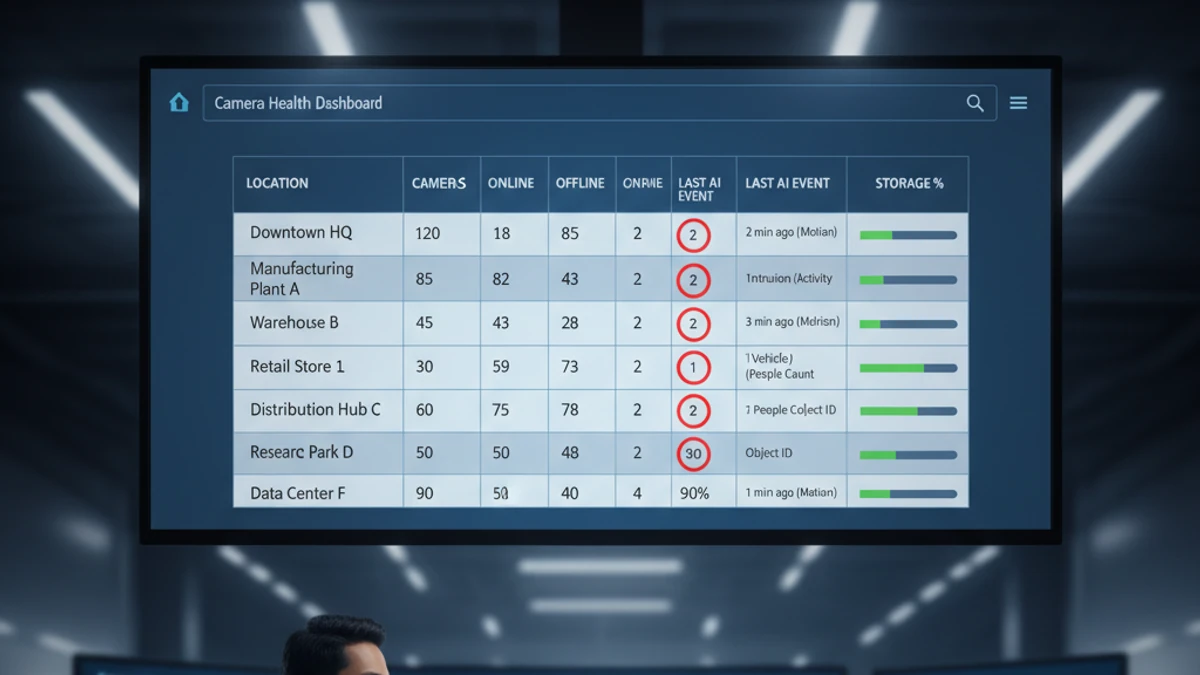
Eliminate per-site NVR complexity. One dashboard, all sites, unified AI search, RBAC, and analytics — without logging into a dozen separate systems.
1 Login
All Sites
Unlimited
Sites in One Dashboard
Cross-Site
AI Forensic Search
$0
Per-Site Servers
The Problem With Decentralized Surveillance
Most organizations with multiple locations ended up with surveillance infrastructure that grew organically — one NVR here, a different brand there, a local installer who configured each site differently. The result:
🔒 Credential Chaos
Each site has a different login URL, different username/password, different interface. Accessing Site 5 requires Site 5’s VPN credentials and NVR IP.
🔍 No Cross-Site Search
Finding a vehicle across 10 locations requires logging into 10 different systems. There’s no way to search all sites simultaneously.
🔄 Multiplied Maintenance
Drive replacements, firmware updates, and troubleshooting each require individual access to each NVR — the overhead scales with every new site.
👤 Per-Site User Setup
Granting a regional manager access to their 8 locations means 8 separate account configurations — and 8 separate revocations when they leave.
What Centralized Cloud VMS Provides
🖥️ Single Dashboard for All Sites
All locations visible in one interface. Switch between sites or view a multi-site grid — all cameras, all sites, one login. No VPNs, no separate URLs, no credential management per location.
🔍 Cross-Site AI Search
Search for a person, vehicle, or license plate across all locations simultaneously. AI forensic search returns results from every camera at every site in seconds — impossible with per-site NVR systems.
👤 Centralized User Access
Define user roles once, assign to multiple sites. A regional manager gets access to their 12 locations in one configuration. RBAC + audit logging across all sites from one interface.
📊 Unified Analytics Reporting
People counting, occupancy trends, and AI event reporting across all sites in a single dashboard. Compare foot traffic across locations, generate cross-site reports.
🔧 No Per-Site Server Maintenance
Gateway devices at each site require no OS maintenance, no drive replacement, no software updates. Adding a site is deploying a gateway — not building a server.
☁️ Cloud Storage for All Sites
No per-site storage hardware to buy, fill, or fail. Retention policies apply uniformly across all sites from central configuration.
Operational Task Comparison
Who Benefits Most From Centralized Management
🏪
Multi-Location Retail
Franchise groups, chain operators — unified analytics across all stores
🏢
Commercial Real Estate
Property management portfolios — one dashboard for all properties
🏭
Manufacturing
Multi-facility operations — centralized safety monitoring and AI analytics
🔧
Security Integrators
MSPs managing all customer sites from a single operations center
🏠
HOA / Property Groups
Community surveillance across common areas without per-location hardware
🏥
Healthcare Networks
Multi-clinic or hospital campus with compliance audit logging across locations
Ready to Centralize Your Camera Management?
Tell us how many sites and cameras — we’ll show you exactly what centralized management looks like for your deployment.
The True Cost of Running Multi-Site On-Premise VMS: What “Free” Actually Costs
Each additional site in a self-hosted deployment multiplies your infrastructure cost.
The software license is the smallest item in your total cost. The real costs are infrastructure: the server that runs it, the electricity that powers it, the storage that holds footage, the IT time that keeps it running, and the remote access tools required to view it from anywhere. Here is what 10 cameras on a self-hosted VMS actually costs per month.
Self-Hosted VMS (10 cameras, conservative)
$8–$27 / camera / month
Infrastructure + labor. Software license not the main cost.
- No native AI analytics (people counting, ALPR, forensic search)
- No multi-site dashboard
- Remote access requires VPN or cloud relay setup
- You are responsible for uptime, backups, and recovery
iFovea Cloud VMS (10+ cameras)
Contact for per-camera quote
One line item. Infrastructure, AI, and maintenance included.
- 10 AI analytics types included: ALPR, people counting, forensic search, heat maps, and more
- All sites on one dashboard
- Native mobile app remote access — no VPN required
- Cloud infrastructure managed and monitored by iFovea
The honest math
For organizations with a dedicated sysadmin who manages many other systems (where surveillance is a minor time allocation), self-hosted VMS can make sense. For businesses paying someone to manage surveillance infrastructure specifically — or where IT time has opportunity cost — cloud VMS is often cheaper on a per-camera basis when all costs are counted. Use the NVR Replacement ROI Calculator to model your specific deployment.
Open-Source VMS Resource Center
Compare platforms, estimate costs, and plan your migration
Blue Iris Alternative
Frigate NVR Alternative
ZoneMinder Alternative
Shinobi Alternative
NX Witness Alternative
Self-Hosted VMS Security Risks
GPU Requirements for AI Surveillance
VPN vs Cloud Remote Access
Migrate Blue Iris to Cloud VMS
Edge Recording vs Cloud Recording
NVR Replacement ROI Calculator