

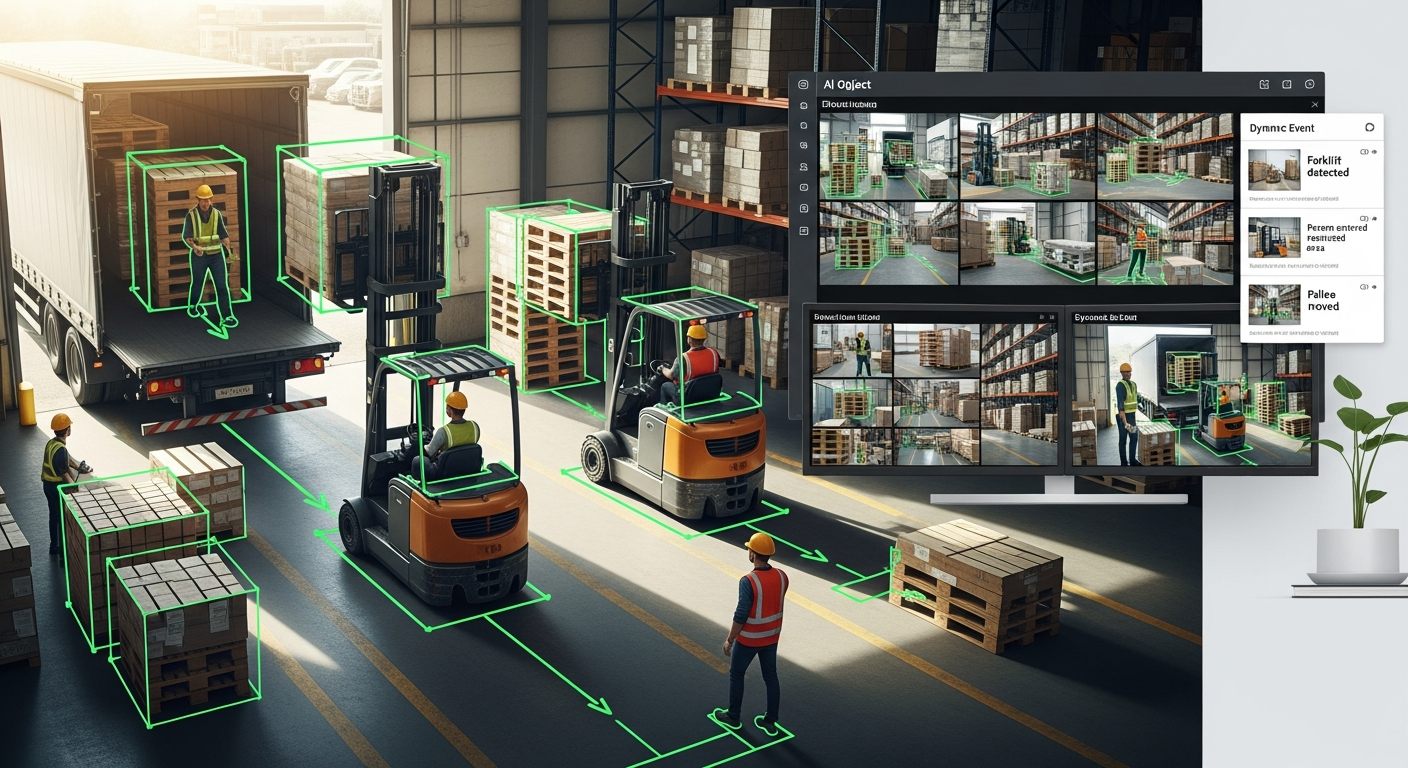
Motion detection tells you something moved. Object detection tells you what moved, what it is, where it went, and whether it matters. The operational difference between those two capabilities is the difference between a camera system that generates motion alerts you ignore and an AI platform that surfaces actionable intelligence about specific objects, vehicles, and behaviors in your camera coverage area.
iFovea’s object detection, classification, and tracking analytics continuously analyzes camera feeds to identify, categorize, and track objects — people, vehicles, animals, packages, equipment, and defined object classes — generating structured metadata that powers AI video search, behavioral alerts, and operational reporting. All on existing ONVIF-compatible cameras, without dedicated edge processors or hardware replacement.
What iFovea Object Detection Delivers
Object Detection and Classification
Identify and classify objects in camera frames: people, vehicles (cars, trucks, motorcycles, bicycles), animals, packages, bags, and custom object classes relevant to your environment. Each detected object generates a metadata record with type, confidence, bounding box, and timestamp.
Object Tracking
Track object movement through the camera frame — paths, direction of travel, zone entries and exits, crossing events, and trajectory analysis. Object tracking is the foundation for loitering detection, zone violation alerts, and behavioral pattern analysis.
Color and Attribute Detection
Detect object attributes — clothing color, vehicle color, vehicle type — that enable forensic search by visual description. Find the person in a blue jacket or the red pickup truck across all cameras for any time period using the color and area search capability.
Virtual Zone Monitoring
Define virtual zones in camera views — entry zones, restricted areas, counting lines, perimeter boundaries. Object detection triggers alerts when specific object classes enter or exit defined zones, providing precise, context-aware monitoring rather than area-wide motion detection.
Video Metadata for AI Search
Every detected object generates searchable metadata — object type, color, direction, zone, timestamp, camera. This metadata enables AI forensic video search across thousands of hours of footage using natural language-style queries: find all blue vehicles at entrance camera between 6 PM and midnight last Tuesday.
Object-Class-Specific Alerts
Configure alerts for specific object class events: vehicle detected in pedestrian zone, person detected in restricted area after hours, package left unattended in defined zone. Object-class filtering eliminates the false alarm volume from basic motion triggers — birds, shadows, HVAC movement — that makes traditional motion alerts unusable at scale.
Object Detection vs. Basic Motion Detection
The fundamental limitation of motion-triggered alerts is that motion detection cannot distinguish between a human intruder, a cat crossing the camera view, a shadow moving across the frame, or a tree branch in wind. This creates a false alarm rate that makes the alert system operationally useless — when every motion trigger generates an alert, operators learn to ignore alerts, defeating the entire purpose of the monitoring system.
Object detection eliminates this problem by classifying what triggered the motion before generating an alert. An alert for “person detected in restricted zone after 10 PM” is actionable. An alert for “motion detected at camera 7” is noise.
| Scenario | Motion Detection Result | Object Detection Result |
|---|---|---|
| Cat walks through parking lot at 2 AM | Alert — motion detected | No alert (classified as animal, not vehicle or person) |
| Intruder climbs perimeter fence at 2 AM | Alert — but indistinguishable from cat above | Alert — person detected at perimeter zone |
| Shadow from passing cloud crosses camera view | Alert — motion detected | No alert (no classified object present) |
| Unauthorized vehicle parked in restricted zone overnight | No alert (vehicle is stationary) | Alert — vehicle present in restricted zone beyond configured time |
| Package left unattended in lobby for 15 minutes | No alert (object is stationary) | Alert — unattended object detected beyond configured dwell threshold |
Object Detection Use Cases
Security and Perimeter Protection
Define virtual zones at perimeter boundaries, entry points, and restricted areas. Receive alerts when people or vehicles are detected in those zones during defined time windows — after-hours access, vehicle-only zones, restricted areas. Object class filtering means the perimeter alert system responds to people and vehicles, not environmental false triggers. See loitering detection for extended presence monitoring in defined zones.
Retail Loss Prevention
Object detection in high-value merchandise areas, stockrooms, and service counters tracks personnel and customer presence in zones where theft or unauthorized access is a concern. When combined with POS transaction correlation, object detection metadata enables loss prevention investigations to match specific individuals to specific events across multiple camera views simultaneously through AI forensic video search.
Warehouse and Industrial Operations
Object detection in warehouse environments monitors forklift and pedestrian separation in shared zones, tracks package and pallet presence at staging areas, and detects unauthorized personnel in machinery operation zones. When combined with PPE detection, the object detection layer provides a complete safety monitoring picture for compliance documentation.
Parking and Vehicle Management
Vehicle detection at parking entrances, reserved spaces, and restricted parking zones provides occupancy monitoring without dedicated parking sensors. When a reserved space is occupied by an unauthorized vehicle, object detection generates an alert and creates a time-stamped record — useful for enforcement documentation. For license plate identification alongside vehicle detection, ALPR analytics provides plate reading from compatible camera positions.
Healthcare Facilities
Object detection in clinical environments monitors for unattended equipment, unauthorized personnel in restricted areas, and patient fall detection scenarios. When combined with people counting, object detection provides comprehensive situational awareness across healthcare facility zones without requiring dedicated monitoring hardware for each room or corridor.
Object Detection in the iFovea AI Analytics Platform
Object detection is the metadata foundation for multiple AI analytics capabilities in the iFovea platform. It does not operate in isolation — it generates the structured data that enables:
- AI forensic video search — search by object type, color, direction across all cameras
- Loitering detection — extended object presence in defined zones
- People counting — headcount from detected person objects
- Behavioral analysis — pattern detection from object trajectory data
- Color and area search — find specific objects by visual attributes
Enabling object detection analytics on existing cameras through the iFovea platform activates this entire intelligence layer simultaneously. All analytics types are included in Professional AI and Enterprise subscription plans — not sold as separate modules. See the full AI video analytics platform for the complete list of analytics types.
Frequently Asked Questions
What object classes does iFovea’s object detection support?
Standard object classes include people, vehicles (cars, trucks, motorcycles, bicycles), animals, and common object categories (bags, packages). Specific object class support depends on the analytics configuration for your deployment. Contact the iFovea team to discuss object classification requirements for specialized environments — industrial, healthcare, or custom detection scenarios.
Can object detection work on existing cameras without hardware changes?
Yes. Object detection analytics processes camera feeds in the iFovea cloud platform — no edge processors, no camera replacement required. Cameras must support ONVIF or RTSP streaming and meet minimum resolution requirements (2MP recommended). Camera compatibility can be verified through the BYOC camera guide.
How does object detection reduce false alarms compared to motion detection?
Motion detection responds to pixel change — movement of any kind including shadows, lighting changes, and environmental movement. Object detection classifies what is moving before generating an alert. Configuring alerts for specific object classes (people in restricted zone, vehicles in pedestrian area) filters out environmental false triggers, reducing false alarm volume significantly. Accuracy depends on camera placement, image quality, and scene conditions.
Can object tracking follow an object across multiple cameras?
Within a single camera’s field of view, object tracking follows trajectory through the frame. Cross-camera tracking — following an object from one camera to another — is available through AI forensic video search, which allows operators to search for object attributes (color, type) across all cameras within a defined time window. This provides the investigative capability of multi-camera tracking without requiring real-time cross-camera ID correlation.
How does object detection integrate with the alarm monitoring portal?
Object detection events — zone violations, unattended objects, after-hours detections — surface in the alarm monitoring portal‘s event queue with camera context. Operators see what was detected and the camera view at the detection moment before making a response decision, enabling video-verified alarm response rather than blind dispatch.
Related Resources
- AI Video Analytics Platform: All Analytics Types
- AI Video Search: Find Any Object Across All Cameras
- Loitering Detection: Extended Presence Alerts
- People Counting Video Analytics
- ALPR: License Plate Recognition for Vehicles
- Color and Area Search: Find Anyone in Footage by Description
- Object Detection Security Camera Guide: AI vs Motion Detection
See Object Detection Analytics in iFovea
Request a demo to see how object detection and classification activates on your existing ONVIF cameras — zone-based alerts, AI video search, and behavioral analytics from the iFovea platform.