

Best Cloud Video Surveillance System: A 2026 Buyer’s Guide
There is no single “best” cloud video surveillance system for every business — there is a best system for your cameras, your sites, your budget, and your goals. This guide walks through the criteria that actually matter, an honest look at how the major options compare, and where iFovea fits — and where it might not.
Direct Answer
What is the best cloud video surveillance system in 2026?
The best cloud VMS depends on whether you own cameras already. For camera reuse + AI analytics + multi-site management at a single per-camera price, iFovea leads. For proprietary hardware ecosystems, Verkada and Rhombus are strong. For integrators, Eagle Eye Networks has broad partner tools.
- ✓Camera reuse: iFovea works with existing ONVIF cameras — no forced hardware
- ✓AI analytics: iFovea includes all 10 types — vs competitors with per-feature fees
- ✓Multi-site: all platforms support it — iFovea with no per-site server cost
How to Evaluate a Cloud Video Surveillance System
Before comparing brand names, it helps to get clear on the criteria that will actually determine whether a platform works for your business long-term:
- Camera compatibility: Does the platform work with the cameras you already have, or does it require proprietary hardware? This single factor can be the difference between a manageable upgrade and a costly full hardware replacement. See which cameras work with cloud VMS.
- AI analytics depth: Is AI analytics a core part of the platform — included — or a marketing checkbox with limited real capability? Compare what’s actually included versus what costs extra. See the full analytics breakdown.
- Storage and retention: How is footage stored, for how long, and what happens if your internet connection drops? Look for hybrid options that keep recording locally during outages.
- Scalability across sites: Can you manage two locations as easily as twenty from a single dashboard? See multi-site management.
- Pricing model and transparency: Is pricing per camera, per site, tiered by feature — and is it clear up front, or do you need a sales call just to estimate cost?
- Support and onboarding: Will you get help migrating from your current system, configuring analytics correctly, and training your team?
How the Major Options Compare
This is a high-level, directional comparison meant to help you ask the right questions — vendors update their offerings frequently, so always confirm current details directly with each provider before deciding.
| Platform | Camera approach | AI analytics | Best fit |
|---|---|---|---|
| iFovea | Open ONVIF — works with most existing IP cameras | 10 types included in every plan, no add-on licensing | Businesses with existing cameras, multi-site operators, integrators wanting white-label |
| Verkada | Largely proprietary camera hardware | On-device analytics, varies by camera model purchased | Businesses willing to standardize on one hardware ecosystem |
| Eagle Eye Networks | Broad camera support via cloud bridge | Available, often configured per deployment | Mid-size to enterprise deployments wanting a cloud-first bridge model |
| Rhombus | Primarily proprietary hardware | Built-in, tied to Rhombus device lineup | Organizations comfortable adopting a single-vendor hardware platform |
| Genetec / Avigilon (enterprise VMS) | Broad hardware compatibility, complex deployments | Available, often enterprise-licensed separately | Large enterprises with dedicated IT/security teams and budgets |
The pattern worth noticing: platforms built around proprietary cameras often deliver a polished single-vendor experience — at the cost of your existing camera investment. Platforms built around open standards like ONVIF preserve that investment, but require you to confirm compatibility model-by-model. Where a platform lands on analytics — included versus add-on — often says as much about its business model as its technology.
When iFovea Is the Right Choice
- You have existing IP cameras you don’t want to throw away. If your cameras are ONVIF-compatible (most modern Hikvision, Axis, Uniview, Dahua, and similar brands are), iFovea is built specifically to preserve that investment rather than force a hardware refresh. Confirm your models on the camera compatibility guide.
- You want AI analytics included, not metered. iFovea bundles all ten analytics types — object detection, counting, face recognition, ALPR, heat maps, AI search, and more — into the platform itself.
- You manage multiple sites. The multi-site dashboard is built to make ten locations as manageable as one.
- You’re an integrator, MSP, or reseller. iFovea’s white-label VMS program lets you offer a fully branded cloud surveillance platform — including AI analytics — under your own name.
- You operate in areas with inconsistent connectivity. Hybrid edge-plus-cloud deployment keeps recording running locally even when the internet doesn’t cooperate.
When iFovea Might Not Be the Right Fit
An honest buyer’s guide should say this plainly: iFovea is not the right answer for everyone, and it’s worth knowing when to look elsewhere.
- You specifically want a single-vendor, fully proprietary hardware-and-software ecosystem and are comfortable replacing your entire camera fleet to get it.
- Your current cameras are old analog units with no IP/ONVIF path, and a full hardware refresh is already in your plans regardless of VMS choice.
- You require a highly specialized, enterprise-only feature set that’s tightly bound to a specific large-scale VMS ecosystem your organization has already standardized on.
In any of these cases, the right move is to be direct about your constraints with any vendor — including iFovea — and let them tell you honestly whether they’re the right fit. A platform that tells you “no, that’s not what we’re built for” is doing you a favor.
Total Cost of Ownership: What to Calculate Beyond the Sticker Price
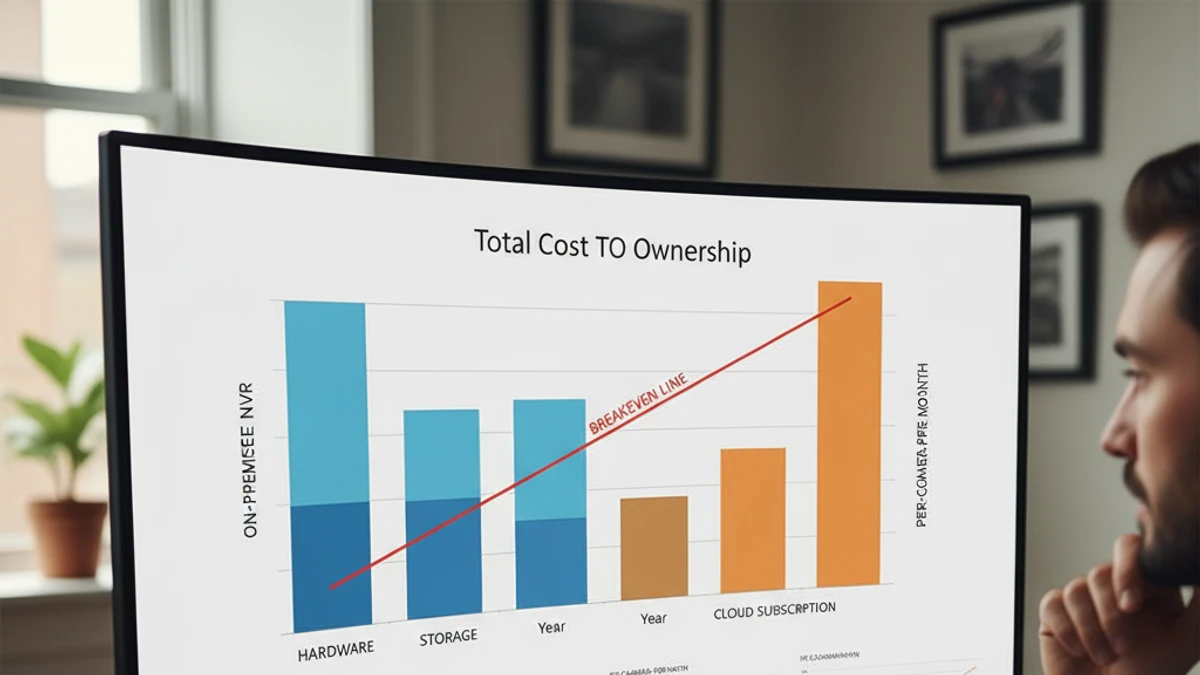
The advertised starting price for any cloud video surveillance platform rarely reflects what you’ll actually pay once a deployment is real. Before comparing numbers across vendors, work through the full picture for your situation:
- Hardware costs: If a platform requires proprietary cameras, price out a full fleet replacement — not just one or two units — across every site you operate.
- Per-feature licensing: If AI analytics are billed separately, estimate what you’d actually want to turn on across your camera count, and project that cost forward as you add cameras and sites.
- Storage and retention: Confirm how long footage is retained at the advertised price, and what it costs to extend retention if your industry or insurer requires longer windows.
- Migration and onboarding: Ask what’s included in the transition from your current system — configuration, training, and data migration can be substantial hidden costs if they’re billed as professional services.
- Support over time: Understand what ongoing support costs as your deployment grows, not just what it costs to get started.
Vendors that are confident in their pricing will walk through this math with you openly. Vendors that deflect toward a generic “starting at” number are often hoping you won’t ask what the number actually includes. See how iFovea structures pricing for a sense of what a transparent conversation about cost should look like.
Questions to Ask Any Vendor Before You Buy
- “Will my current cameras work with your platform — by exact model, not just by brand?”
- “Which AI analytics are included in the base price, and which cost extra as I add cameras or sites?”
- “What happens to my recordings if my internet connection goes down?”
- “How is pricing structured as I add cameras or locations — and can you show me the math for my specific situation?”
- “What does onboarding and migration from my current system actually look like, step by step?”
- “Can I see the platform running on footage from cameras like mine before I commit?”
Any vendor confident in their platform should be able to answer these directly — and show you, not just tell you. See how iFovea’s pricing works or explore the full cloud VMS platform overview to see how these pieces fit together.
See how iFovea stacks up against your current setup
Bring your camera list, your site count, and your current pain points — we’ll give you a direct answer about whether iFovea is the right fit, and show you exactly what it would look like.
“The AI forensic video search and analytics in iFovea are more comprehensive than what we had previously. The open camera architecture gives us full infrastructure flexibility with no vendor lock-in.”
Frequently Asked Questions
What is the best cloud video surveillance system?
There is no universal “best” — the right system depends on whether you have existing cameras to preserve, how many sites you operate, what AI analytics you actually need, and your budget. The strongest choice is the one that fits those specifics rather than the one with the longest feature list.
Should I replace my existing cameras to get a cloud VMS?
Not necessarily. Many cloud VMS platforms, including iFovea, are built on the open ONVIF standard and work with IP cameras you may already have installed. Confirm compatibility model-by-model before assuming you need new hardware.
Are AI analytics usually included, or do they cost extra?
It varies significantly by vendor. Some platforms bundle analytics into the core price; others charge per analytic, per camera, or require higher-tier plans. Always ask for a clear breakdown of what’s included versus billed separately before comparing prices across vendors.
How do I compare pricing across cloud VMS vendors fairly?
Ask each vendor for the all-in cost at your actual camera count and site count — including storage, analytics, and support — rather than comparing advertised starting prices, which often exclude the features you’ll actually need.
Is iFovea the right choice for every business?
No platform is. iFovea is built specifically for businesses that want to keep their existing ONVIF-compatible cameras, need AI analytics included rather than metered, and operate across multiple sites. Businesses set on an all-proprietary hardware ecosystem may be better served elsewhere — and iFovea will tell you so directly.
What should I do before signing a contract with any cloud VMS provider?
Confirm your specific camera models are supported, get a clear breakdown of what’s included versus billed as add-ons, ask what happens to recordings during an internet outage, and request a live demo on footage similar to your own before committing.
Related Comparisons
Evaluating open-source or self-hosted VMS alternatives?
Compare platforms, model your true cost, and plan a migration path