

iFovea vs Blue Iris
Cloud VMS vs. Windows NVR — the definitive comparison of architecture, AI analytics, multi-site management, and total cost of ownership for your deployment.
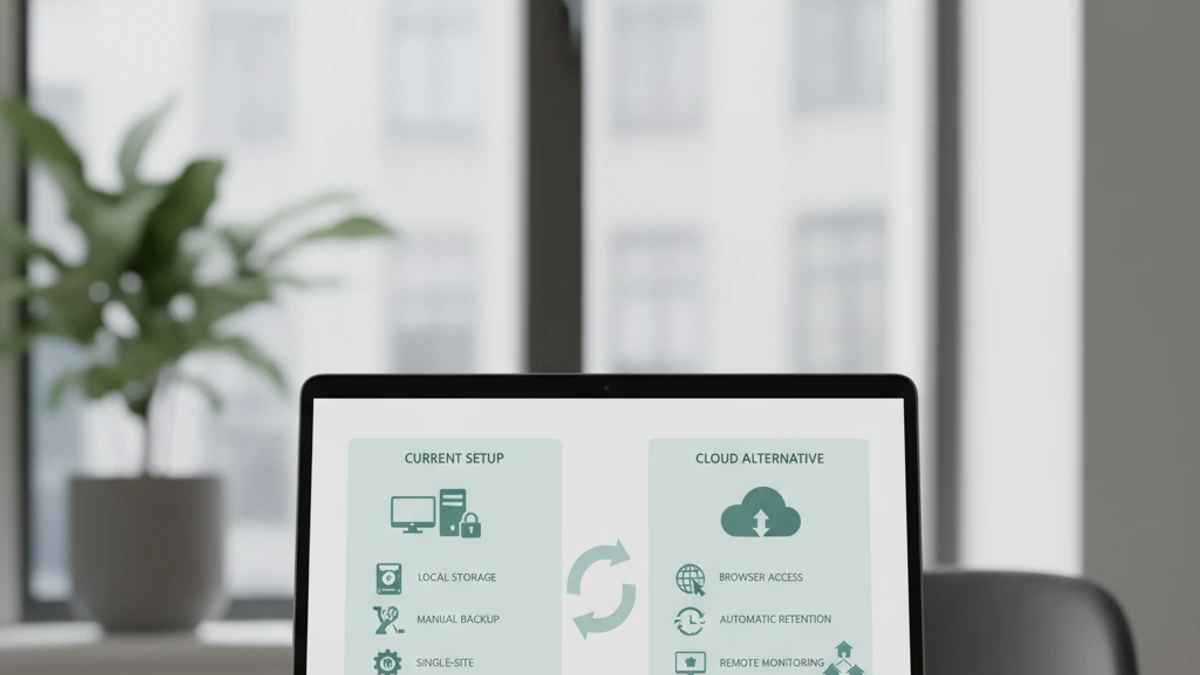
🖥️ Blue Iris — Best When
- Single site, ≤20 cameras
- Strong Windows IT skills on staff
- Existing Windows PC available
- Privacy-first, footage stays fully local
- Air-gapped or limited internet environment
- Budget is the primary constraint
- DIY hobbyist or home use
☁️ iFovea — Best When
- Multiple sites (3+)
- 30+ cameras with AI analytics requirements
- Limited or non-technical IT staff
- Reliable remote access is critical
- People counting, ALPR, AI search needed
- Serving multiple customers (integrator)
- Enterprise compliance requirements
Feature Comparison: Blue Iris vs iFovea
The Core Architectural Difference
🖥️ Blue Iris: Local Application
Blue Iris runs on a Windows PC at your facility, records to local drives, and manages cameras connected to that same network. Everything is self-contained. Remote access requires either the Blue Iris cloud relay service (+$5/month) or your own VPN/DDNS configuration pointing back to your local PC.
☁️ iFovea: Cloud-Managed Platform
Cameras connect to a gateway device that handles local network communication and streams to cloud infrastructure for management, AI processing, storage, and remote access. There is no local “server” to maintain — the gateway is a simple edge appliance, not a general-purpose server.
When Blue Iris Is the Right Choice
Blue Iris excels in specific deployment scenarios, and we want to be honest about them:
Home or Small Business, 1 Site
The one-time software cost and use of existing Windows hardware makes Blue Iris economically compelling when subscription cost matters more than features at small scale.
Strong Privacy Requirements
Blue Iris runs fully air-gapped. No footage leaves your network by default. Critical for environments where footage legally cannot leave the premises.
High Technical Capability Users
Extensive configuration options for motion zones, codec tuning, substream management, and alert routing appeal to technically sophisticated operators who want fine-grained control.
Where iFovea Cloud VMS Outperforms Blue Iris
🏢 Multi-Site Organizations
Each Blue Iris instance manages one site independently. iFovea manages all sites from a single dashboard — no switching between separate systems, no separate VPN connections per site.
🤖 AI Analytics at Scale
Blue Iris AI requires third-party plugins plus GPU hardware for real-time processing. iFovea includes cloud AI — people counting, ALPR, AI search — with no local hardware required.
📱 Reliable Remote Access
Blue Iris remote access depends on your local PC being online, your IP not changing, and ISP not blocking the port. iFovea remote access works from any browser with the same reliability as accessing Gmail.
🔏 Security Integrators
Blue Iris has no reseller or white-label model. iFovea includes a native multi-tenant white-label platform designed for integrators managing dozens or hundreds of customer sites.
🔧 No Local Hardware Maintenance
Blue Iris requires a Windows PC that stays running 24/7. OS updates, drive failures, and crashes all affect recording continuity. The iFovea gateway is a simple appliance with no user-serviceable OS.
📋 Enterprise Compliance
Blue Iris has minimal audit logging and user management. iFovea includes RBAC, full audit trails, MFA enforcement, and compliance-ready access controls for enterprise and regulated environments.
Migrating from Blue Iris to Cloud VMS
Most Blue Iris deployments use ONVIF or RTSP-compatible cameras. If your cameras support these protocols, they can connect directly to iFovea without replacement.
1
Verify ONVIF/RTSP
Most Blue Iris cameras support this
2
Deploy iFovea Gateway
Connect to same switch as cameras
3
Auto-Discover Cameras
ONVIF cameras found automatically
4
Configure AI + Access
Schedules, analytics, users
5
Retire Blue Iris PC
Keep for historical footage access
See the complete Blue Iris to cloud VMS migration guide.
See How iFovea Compares for Your Deployment
Share your camera count and site details — we’ll show you whether cloud VMS changes the math for your specific scenario.
Frequently Asked Questions
The True Cost of Running Blue Iris: What “Free” Actually Costs
Blue Iris software: ~$70 one-time. The Windows PC it runs on: not one-time.
The software license is the smallest item in your total cost. The real costs are infrastructure: the server that runs it, the electricity that powers it, the storage that holds footage, the IT time that keeps it running, and the remote access tools required to view it from anywhere. Here is what 10 cameras on a self-hosted VMS actually costs per month.
Self-Hosted VMS (10 cameras, conservative)
$8–$27 / camera / month
Infrastructure + labor. Software license not the main cost.
- No native AI analytics (people counting, ALPR, forensic search)
- No multi-site dashboard
- Remote access requires VPN or cloud relay setup
- You are responsible for uptime, backups, and recovery
iFovea Cloud VMS (10+ cameras)
Contact for per-camera quote
One line item. Infrastructure, AI, and maintenance included.
- 10 AI analytics types included: ALPR, people counting, forensic search, heat maps, and more
- All sites on one dashboard
- Native mobile app remote access — no VPN required
- Cloud infrastructure managed and monitored by iFovea
The honest math
For organizations with a dedicated sysadmin who manages many other systems (where surveillance is a minor time allocation), self-hosted VMS can make sense. For businesses paying someone to manage surveillance infrastructure specifically — or where IT time has opportunity cost — cloud VMS is often cheaper on a per-camera basis when all costs are counted. Use the NVR Replacement ROI Calculator to model your specific deployment.
Open-Source VMS Resource Center
Compare platforms, estimate costs, and plan your migration
Frigate NVR Alternative
ZoneMinder Alternative
Shinobi Alternative
NX Witness Alternative
Self-Hosted VMS Security Risks
GPU Requirements for AI Surveillance
VPN vs Cloud Remote Access
Migrate Blue Iris to Cloud VMS
Edge Recording vs Cloud Recording
NVR Replacement ROI Calculator
Centralized Camera Management