

Self-Hosted VMS Cybersecurity Risks
A practical guide to the actual attack vectors in self-hosted NVR deployments, their realistic risk levels, and what mitigation looks like in practice.
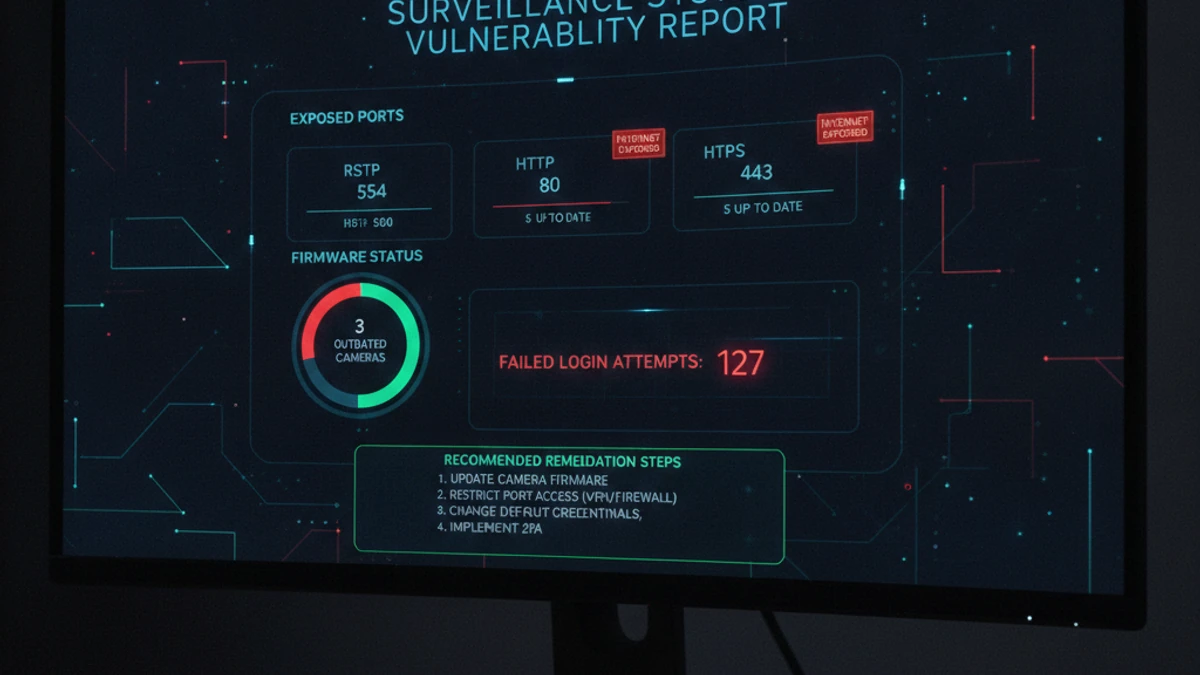
Important Context
Self-hosted VMS is not inherently insecure. The risk profile depends entirely on configuration and maintenance practices. This guide is written to help self-hosted operators identify and close gaps — not to suggest that open-source or on-premise VMS is categorically unsafe.
Management Interface Exposed to the Internet
Threat Level: HIGH
This is the most common and serious misconfiguration in self-hosted surveillance deployments. NVR and VMS web interfaces were designed for local network access. When port forwarding is configured to expose these interfaces directly to the internet, the login page becomes globally accessible. Automated scanners continuously probe internet-connected IP ranges for known VMS login pages.
What Attackers Do With It
- Credential stuffing with default passwords
- Brute-force attacks against login form
- CVE exploitation on unpatched VMS software
- Access to live footage or use server as pivot point
Mitigation
- Never expose VMS interfaces via port forwarding
- Use VPN (WireGuard, OpenVPN) for remote management
- If using reverse proxy, add authentication layer
- Disable UPnP on your router
Default and Weak Credentials
Threat Level: HIGH
Most IP cameras ship with default credentials (admin/admin, admin/12345, root/pass). Lists of default credentials for every major camera brand are publicly available. In 2016, the Mirai botnet compromised over 600,000 IP cameras using default credentials to conduct the largest DDoS attack recorded at that time. The pattern continues in current threat data.
Mitigation
- Change all default credentials on cameras, NVRs, and switches before connecting to any network
- Use unique strong passwords per device — not a shared password across all cameras
- Disable manufacturer cloud services (P2P relay, DDNS) that may expose interfaces externally
Unpatched Software and Camera Firmware
Threat Level: MEDIUM-HIGH
CVE databases contain hundreds of documented vulnerabilities in major VMS platforms and IP camera firmware — authentication bypasses, command injection, remote code execution, RTSP authentication flaws. In practice, many deployments run firmware that is years old with known CVEs because cameras “just work” and are never touched after installation.
Mitigation
- Subscribe to firmware security advisories for your specific camera models
- Audit firmware versions across all cameras quarterly
- Apply security-relevant firmware updates within 30 days of release
Flat Network Architecture
Threat Level: MEDIUM
If cameras and NVRs share the same network segment as business workstations, a compromised camera becomes a foothold into the broader network (lateral movement). Proper VLAN segmentation is the mitigation — but many deployments lack it.
Proper Network Segmentation for Surveillance
- Dedicated camera VLAN — no internet access, no access to business network segments
- NVR/VMS server in camera VLAN or DMZ — not on main business network
- Firewall rules: camera → NVR (recording), admin workstation → NVR via VPN only
- Block all camera-to-camera and camera-to-internet traffic at VLAN boundary
Self-Hosted VMS Security Checklist
How Cloud VMS Addresses These Risks by Architecture
🚪 No Internet-Facing Port
Camera streams route through encrypted tunnels; no inbound ports are opened at the facility.
🔒 MFA Enforced
Platform enforces MFA for all user logins — eliminating credential-stuffing risk at the management layer.
🔄 Auto-Patching
VMS software security updates applied by the platform vendor — no operator action required.
📋 Native Audit Logging
All access events — logins, footage views, exports, configuration changes — logged automatically with user, IP, and timestamp.
Camera firmware vulnerabilities and network segmentation remain operator responsibilities regardless of VMS type.
Want a Security Assessment for Your Current VMS Deployment?
We’ll review your current camera and NVR infrastructure against this checklist and identify the highest-priority gaps to close.
FAQ
The True Cost of Running Self-Hosted NVR: What “Free” Actually Costs
Security incidents on self-hosted NVR are not hypothetical — they’re a recurring operational cost.
The software license is the smallest item in your total cost. The real costs are infrastructure: the server that runs it, the electricity that powers it, the storage that holds footage, the IT time that keeps it running, and the remote access tools required to view it from anywhere. Here is what 10 cameras on a self-hosted VMS actually costs per month.
Self-Hosted VMS (10 cameras, conservative)
$8–$27 / camera / month
Infrastructure + labor. Software license not the main cost.
- No native AI analytics (people counting, ALPR, forensic search)
- No multi-site dashboard
- Remote access requires VPN or cloud relay setup
- You are responsible for uptime, backups, and recovery
iFovea Cloud VMS (10+ cameras)
Contact for per-camera quote
One line item. Infrastructure, AI, and maintenance included.
- 10 AI analytics types included: ALPR, people counting, forensic search, heat maps, and more
- All sites on one dashboard
- Native mobile app remote access — no VPN required
- Cloud infrastructure managed and monitored by iFovea
The honest math
For organizations with a dedicated sysadmin who manages many other systems (where surveillance is a minor time allocation), self-hosted VMS can make sense. For businesses paying someone to manage surveillance infrastructure specifically — or where IT time has opportunity cost — cloud VMS is often cheaper on a per-camera basis when all costs are counted. Use the NVR Replacement ROI Calculator to model your specific deployment.
Open-Source VMS Resource Center
Compare platforms, estimate costs, and plan your migration
Blue Iris Alternative
Frigate NVR Alternative
ZoneMinder Alternative
Shinobi Alternative
NX Witness Alternative
GPU Requirements for AI Surveillance
VPN vs Cloud Remote Access
Migrate Blue Iris to Cloud VMS
Edge Recording vs Cloud Recording
NVR Replacement ROI Calculator
Centralized Camera Management