

AI Video Analytics Platform: 10 Analytics Types Included
iFovea bundles ten AI video analytics types into every cloud VMS subscription — no add-on licenses, no per-feature upsells. Here is what each analytic type does, how it differs from basic motion detection, and how businesses put it to work.
Direct Answer
What AI video analytics does iFovea include?
iFovea includes 10 AI analytics types in every subscription: ALPR, people counting, vehicle counting, heat maps, AI video search, object detection, PPE compliance, perimeter alerts, face recognition, and loitering detection. All run on cloud-side AI — no local GPU or special camera required.
- ✓All 10 analytics included — no per-feature license fees
- ✓Works on any 1080p+ ONVIF camera — no AI-capable hardware needed
- ✓AI video search finds any incident across all cameras in seconds
AI Analytics vs. Motion Detection: What’s the Difference?
Traditional motion detection triggers on any pixel change — a tree branch swaying, a shadow moving, rain on the lens. It cannot tell you what moved, only that something moved. AI video analytics goes further: it classifies what it sees (person, vehicle, animal, package), tracks it across the frame, and can apply rules specific to that classification.
| Capability | Motion Detection | AI Video Analytics |
|---|---|---|
| Triggers on | Any pixel change | Specific objects, people, vehicles, behaviors |
| False alerts from weather, shadows, insects | Common | Filtered out by object classification |
| Can answer “how many people entered today?” | No | Yes — counted and reported automatically |
| Can search footage by description | No — manual scrubbing only | Yes — AI video search by attributes |
| Can recognize a specific face or license plate | No | Yes — with face recognition and ALPR |
The practical result: fewer notifications you ignore, faster investigations, and operational data your team can actually use — not just security footage that sits unwatched until something goes wrong.
The 10 AI Analytics Types Included With iFovea
Every iFovea cloud VMS plan includes the full analytics suite below. None of these are paid add-ons — they’re part of the platform from day one, on any compatible ONVIF camera you already own.
1. Object Detection & Tracking
Identifies and follows people, vehicles, bags, packages, and other objects across the camera’s field of view — and across multiple cameras on the same site. This is the foundation analytic that most other detections build on. See the full object detection & tracking page.
2. People & Vehicle Counting
Counts entries, exits, and occupancy in real time — for foot traffic in a retail store, vehicle volume in a parking lot, or occupancy compliance in a venue. Counts are logged and reportable by hour, day, location, or zone. Read more about people and vehicle counting.
3. Face Recognition
Matches faces against a configurable watchlist (VIP customers, banned individuals, authorized staff) and triggers alerts on a match — without requiring a human to watch every entrance. Learn how iFovea handles face recognition responsibly.
4. License Plate Recognition (ALPR)
Reads vehicle license plates at gates, lots, and drive lanes; matches them against allow lists, watchlists, or visitor logs; and timestamps every vehicle that enters or exits a property — useful for gated communities, dealerships, logistics yards, and multi-tenant facilities. Explore the ALPR feature page.
5. Heat Maps & Dwell-Time Analysis
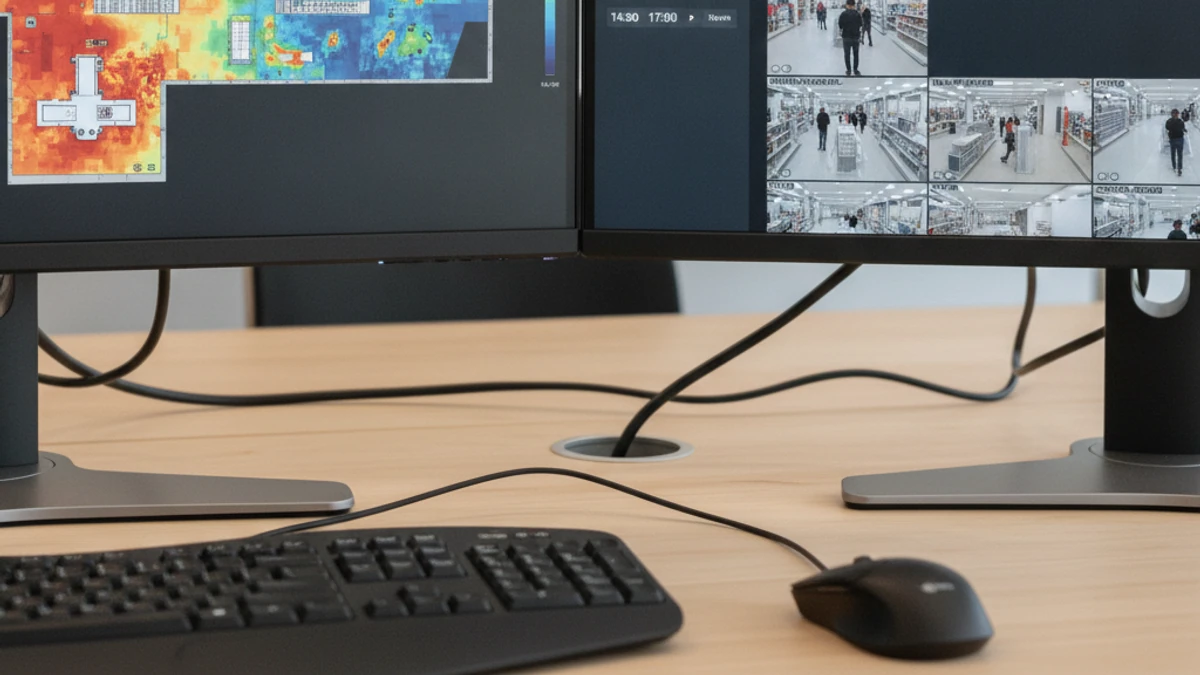
Visualizes where people spend the most time in a space — which aisles get traffic, which areas get skipped, where queues form — so retail, hospitality, and facilities teams can make layout and staffing decisions based on real behavior, not guesswork. View the heat maps feature page.
6. AI Video Search
Searches hours or days of footage using plain-language descriptions — “a person wearing a backpack,” “a white pickup truck,” “anyone who entered through the side door after 9 PM” — turning a multi-hour review task into a search that takes seconds. See how AI video search works.
7. PPE & Safety Compliance Detection
Flags missing hard hats, safety vests, gloves, or other required protective equipment on job sites, manufacturing floors, and warehouses — supporting safety programs and giving supervisors visibility without manual spot-checks.
8. Intrusion & Perimeter Detection
Defines virtual lines and zones (fence lines, restricted areas, after-hours entry points) and alerts the moment a person or vehicle crosses them — at any hour, with no human watching a monitor wall.
9. Loitering & Behavior Detection
Identifies when a person or vehicle remains in an area longer than expected — near an entrance, in a parking lot, along a fence line — which is often the earliest visible sign of a security concern, well before anything happens.
10. Crowd Density & Occupancy Monitoring
Tracks how many people are in a space relative to its capacity, useful for venues, retail stores during peak periods, and any facility that needs to monitor or report on occupancy limits in real time.
How iFovea’s AI Analytics Run on Your Existing Cameras
iFovea’s analytics engine works with the ONVIF-compatible cameras you already have — there’s no need to rip and replace hardware to get AI capabilities. Depending on bandwidth and site requirements, processing can run in the cloud, at the edge, or in a hybrid configuration that keeps analytics running even during an internet outage. Every detection is timestamped, logged, and searchable from a single dashboard — whether you’re reviewing one camera or managing dozens of sites. Learn more on the iFovea cloud VMS platform overview.
Choosing Which Analytics to Turn On First
Most businesses don’t need all ten analytics running on day one — and trying to configure everything at once is a common reason analytics deployments stall. A more practical approach is to start with the one or two analytics that map directly to a problem you already know you have, get them tuned and trusted by your team, and layer in the rest over time. A retail operator chasing conversion data might start with people counting and heat maps. A logistics yard worried about after-hours access might start with intrusion detection and ALPR. A multi-site franchise trying to standardize incident response might start with object detection and AI video search, then add face recognition only where a clear, well-defined need exists. iFovea’s onboarding team works through this prioritization with you — based on your sites, your goals, and your camera layout — rather than handing you a long feature list and leaving you to figure out where to begin.
What Makes Included Analytics Different From Add-On Analytics
Many platforms advertise “AI-powered” surveillance, but the details matter: is the AI a core part of the platform, or a premium tier you have to upgrade into camera-by-camera as your needs grow? Add-on pricing models can make a system feel affordable at first and then become unpredictable as you scale — every new camera, every new site, and every new analytic becomes its own line item to negotiate. Because iFovea includes the full analytics suite in the base platform, the cost of adding a camera or a location is predictable, and turning on a new analytic for an existing site doesn’t trigger a new purchase conversation. That matters most for multi-site operators and integrators, where unpredictable per-feature costs compound quickly across a growing footprint.
Who Uses AI Video Analytics — and Why
- Retail: foot traffic counting, heat maps for layout decisions, loss-prevention alerts, and queue monitoring.
- Warehouses & logistics: perimeter detection, PPE compliance, vehicle tracking across yards and dock doors.
- Multi-site businesses & franchises: consistent analytics and reporting across every location from one centralized dashboard.
- Schools & campuses: access monitoring, perimeter alerts, and occupancy visibility without intrusive surveillance.
- Gated communities & properties: ALPR for visitor accountability and after-hours perimeter alerts.
- Security integrators: a full AI analytics suite they can offer under their own brand through iFovea’s white-label VMS program.
What these use cases share is a shift in how video gets used day to day. Instead of footage that only matters after something goes wrong, AI analytics turns every camera into a source of ongoing operational insight — traffic patterns, safety compliance, access accountability, and faster investigations — while still doing the core job of recording and protecting your sites. That dual role, security tool and operations tool in one, is why analytics adoption tends to expand once a team sees the first one or two running on their own footage.
See the full analytics suite on your own cameras
Tell us about your sites and camera fleet, and we’ll show you exactly which analytics apply — and what they look like in practice.
“After evaluating several platforms, we chose iFovea because we could keep our existing camera infrastructure. Savings from avoided hardware replacement justified the migration in the first two quarters.”
Frequently Asked Questions
What is AI video analytics?
AI video analytics uses computer vision to identify and classify what a camera sees — people, vehicles, objects, faces, plates, and behaviors — and turns that into real-time alerts, counts, and searchable data, instead of just recorded footage.
How is AI analytics different from motion detection?
Motion detection triggers on any pixel change, including weather, shadows, and insects. AI analytics classifies what actually moved — person, vehicle, animal, object — and can apply specific rules to each, dramatically reducing false alerts and enabling features like counting, search, and recognition.
What analytics does iFovea include?
iFovea includes ten AI analytics types in every plan: object detection and tracking, people and vehicle counting, face recognition, license plate recognition (ALPR), heat maps, AI video search, PPE and safety compliance detection, intrusion and perimeter detection, loitering detection, and crowd density monitoring.
Do I need new cameras to use AI video analytics?
In most cases, no. iFovea’s analytics run on ONVIF-compatible IP cameras you may already have installed. See the camera compatibility guide to confirm your specific models.
Are AI analytics included in the price, or are they add-ons?
They’re included. iFovea bundles the full ten-analytic suite into the platform — there are no separate per-feature licenses to buy as your needs grow.
How accurate is AI video analytics?
Accuracy depends on camera placement, lighting, resolution, and the specific analytic in use. iFovea’s onboarding process reviews your sites and camera positions to tune detections for your environment and minimize false alerts.
What does self-hosted VMS actually cost per camera?
Server hardware, electricity, storage, remote access, and IT labor add up. Use the NVR Replacement ROI Calculator to model your deployment cost vs. cloud VMS — or see GPU requirements for self-hosted AI surveillance.
Related Resources